

Site analysis is the research you do before designing. You collect the facts about a site (location, rules, ground, climate, access, neighbours, history) and how it feels to be there (views, noise, smells, privacy), then turn them into diagrams that set out what the design must respond to. This guide is for architecture students and early-career architects who have to produce one for a studio brief or a real project. It gives you an eight-step method, a checklist you can print, a short table of data tools, and one real public site, Potters Fields Park in London, worked through from start to finish.
The aim is to show patterns of sunlight, movement, land use and public and private space, then use them to make design decisions. You do not need to collect every possible fact. Base drawings come together faster if you start from free CAD files to build your base drawings, and the rest of the method shows what to put on top of them.
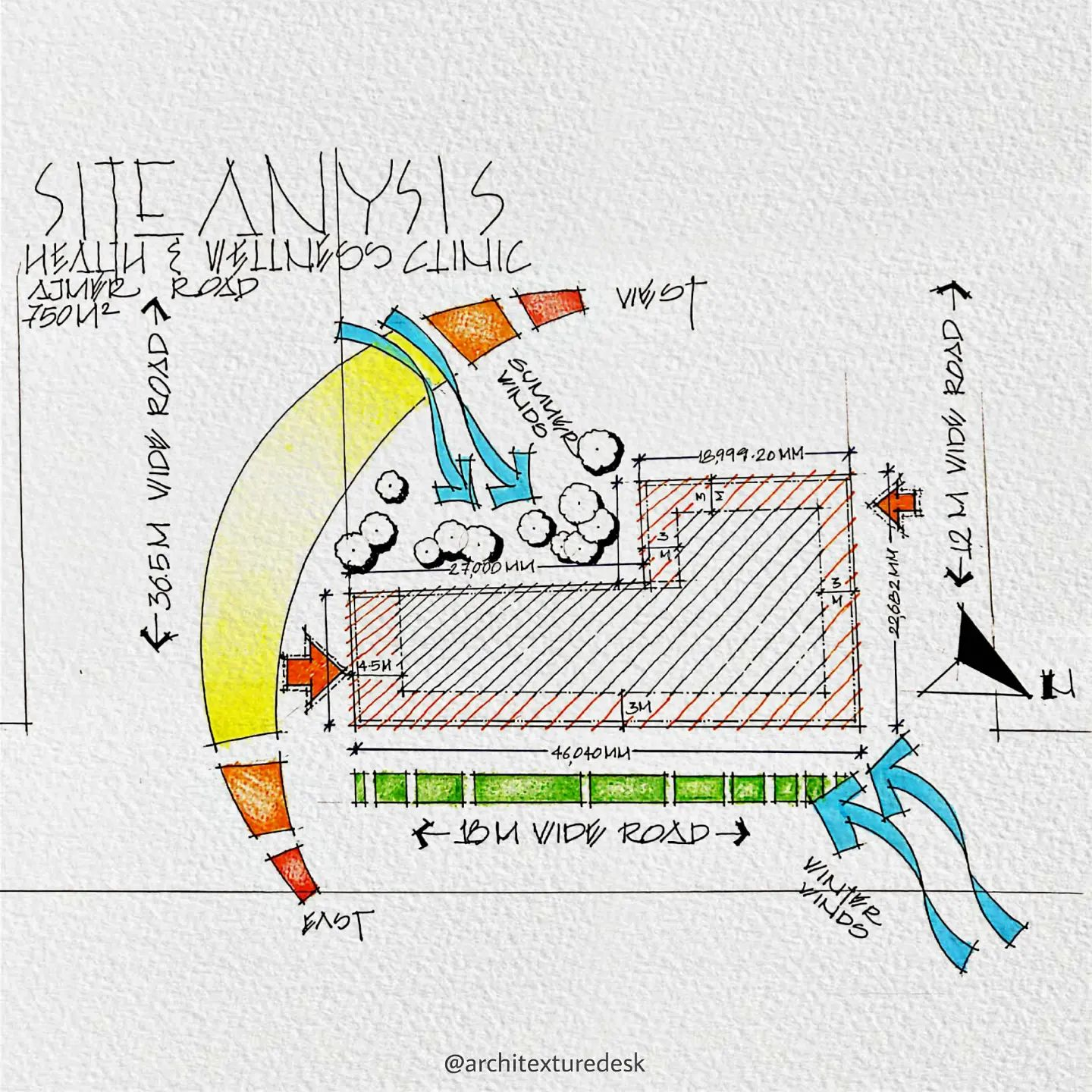
© architexturedesk
What Is The Purpose Of A Site Analysis?
Site analysis helps designers understand a site well enough to decide what can be built there, where and in what form. An academic review of the theory behind site analysis puts it plainly: architects analyse a site to judge whether it can take a given building. In practice, that means finding the constraints you cannot change (boundaries, planning designations, flood risk, ground conditions) and the opportunities you can use (sun, views, routes, character).
The First In Architecture site analysis guide splits the information into two groups. Hard data is measurable and checkable: boundaries, area, utilities, contours, climate and legal information. Soft data is about people and the senses: the best views, where people gather, noise and smell. That split also answers a common question, what is in a site analysis? It covers both kinds of data, recorded at several scales, and ends in a summary diagram that states what the design has to deal with. Doing it carefully pays off: a constraint you find now is a design input, whereas one you find during construction is a costly change.
Mega, macro and micro: the three scales
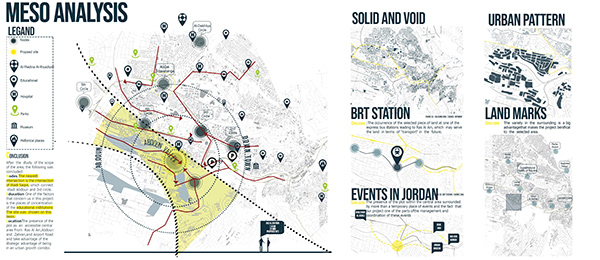
Look at the site at three scales and collect hard and soft data at each one:
- Mega: the wider setting, meaning the district and how it relates to the larger city: transport links, landmarks, large landscape features.
- Macro: the immediate surroundings on every side: streets, neighbouring buildings, open spaces.
- Micro: the detail inside and at the edge of the site: surfaces, trees, levels, street furniture, materials.
A site is part of a context that keeps changing. It is tied to the streets around it, the neighbourhood and city, and the people who live and work there, so the three scales are linked and need to be read together.
Step-by-Step Site Analysis Method
Most teaching sources describe the same order of work. First In Architecture goes from desktop study to site visit, then diagramming, evaluation and presentation. Monograph’s guide groups the work into research, analysis and synthesis at the pre-design stage. The eight steps below follow that order and break it into tasks a beginner can tick off. Each step ends with something you can show on a board.
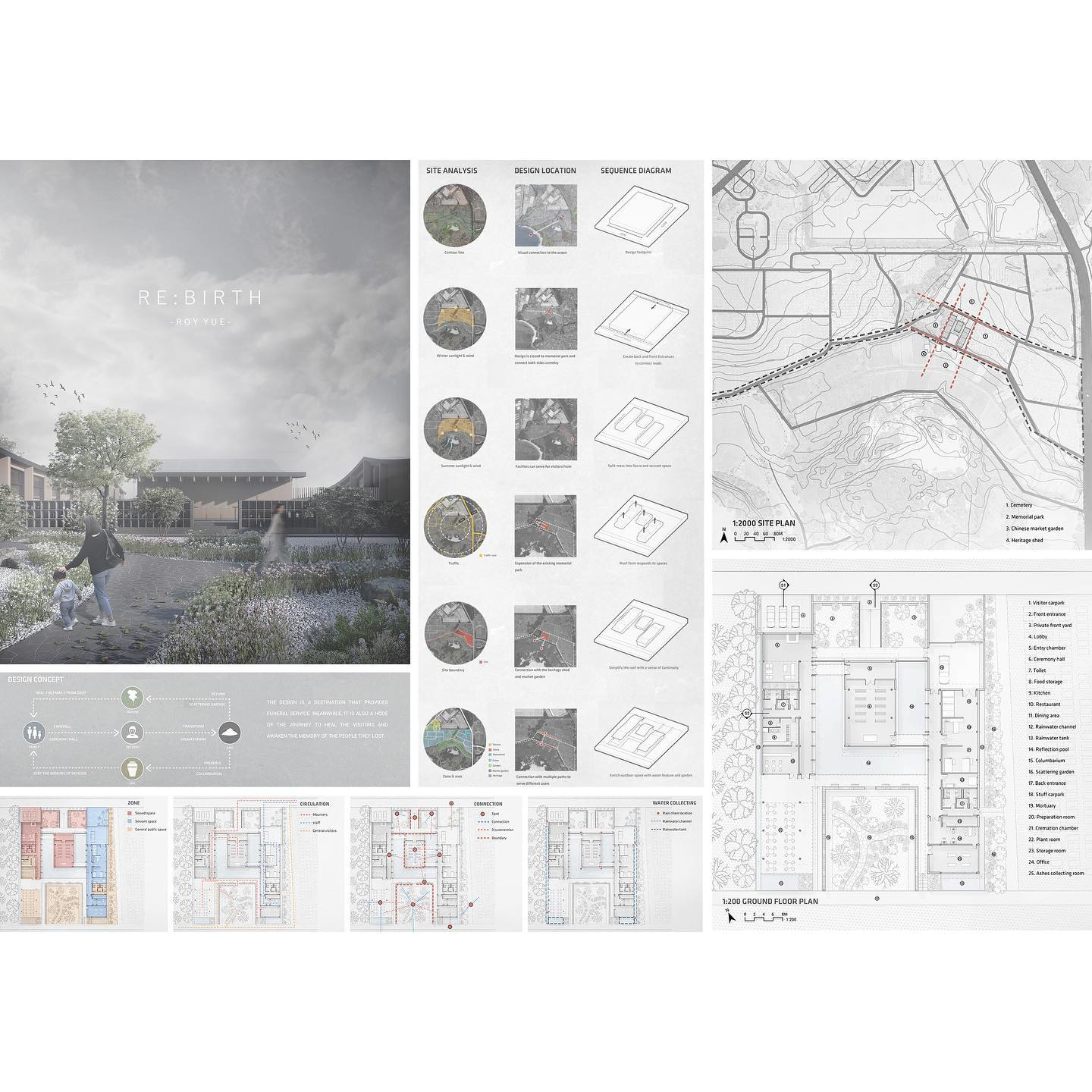
© roy_architecture
Step 1: Read the brief and write your site questions
Before you collect anything, list what the project needs from the site. A riverside pavilion raises different questions from a school on a sloping suburban plot. Write five to ten questions, such as “Where is the sun at lunchtime in winter?” or “Which edge is quietest?” These questions keep the analysis focused. As First In Architecture notes, you only need enough information to design the building, not every small detail.
Output: a short list of questions and a red-line site boundary.
Step 2: Set up base drawings at fixed scales
Put together a location plan (mega), a context plan (macro) and a site plan (micro). Keep each one at the same orientation and, where you can, the same scale through the whole analysis, so readers can compare diagrams one after another. This is the main presentation advice in the First In Architecture guide. Exported CAD or GIS context maps save hours of tracing. Always check them against an official survey or planning map, because open map data can be out of date.
Output: three base drawings with a north point and scale bar.
Step 3: Desktop study (research before the visit)
Do as much research as you can before you visit. Look at aerial photographs and street-level imagery, planning policy and designations, old maps of the site’s history, flood maps, geology, climate records, transport, utilities and census data. A broader urban analysis helps at the mega scale. Write down anything you need to check in person.
Output: a list of designations and constraints with a source for each, plus a list of things to check on site.
Step 4: Visit the site (more than once if you can)
Take a printed base plan, the checklist below, a camera, a tape measure and a notebook. If you can, visit at different times of day and in different weather. Rain shows you where water collects and drains. Photograph the site from a distance and from the far side of each street, record panoramas, and note parking, public transport, accessibility and noise. Never enter live construction sites or private land without permission, and wear the right protective equipment. Our guide to safety in architecture and construction covers the hazards you are likely to meet.
Output: annotated photographs, sketches, measurements and sound or video notes.
Step 5: Map the hard data
Turn the facts into single-topic diagrams: boundary and dimensions, designations, topography, vegetation, built edges, access, utilities and climate. The nine hard-data categories below list what each one should contain.
Step 6: Map the soft data
Draw the experience of the site: views in and out, privacy, sound, smell and how people use the space. This is opinion based on observation, so write down when you observed it (day, time, weather).
Step 7: Analyse: sort constraints from opportunities
Compare the diagrams with each other and with the brief. For every finding, write one line: finding → so what for the design. Then rank the findings. First In Architecture suggests marking which conditions work against the site or the design and which help it, so that you end up with a hierarchy instead of a pile of facts.
Step 8: Synthesise: one zoning diagram and a board
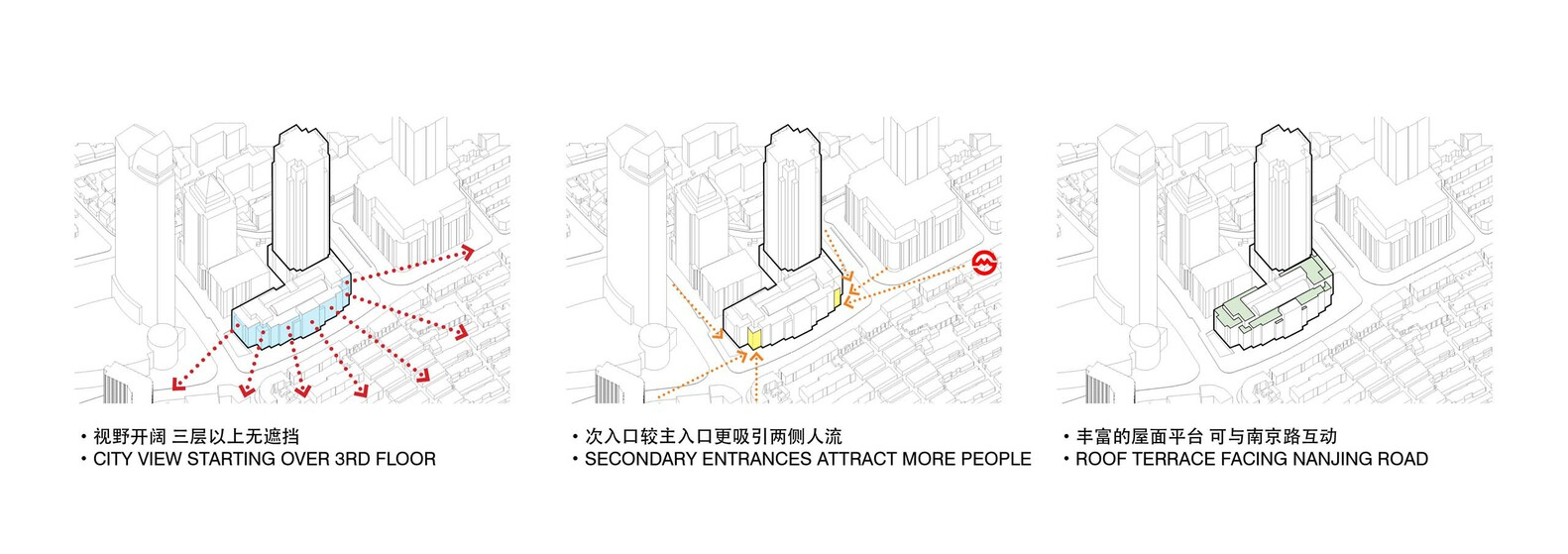
Combine the ranked findings into one synthesis or zoning diagram on the site plan. It shows the parts of the site that can be built on, the parts to keep open, the main approach, the sunny zones and the edges that need buffering. Put this at the front of your board or report. In a student portfolio, the site analysis usually comes first in each project, which is why it is worth doing carefully. See our tips for a strong architecture portfolio for how to present it.
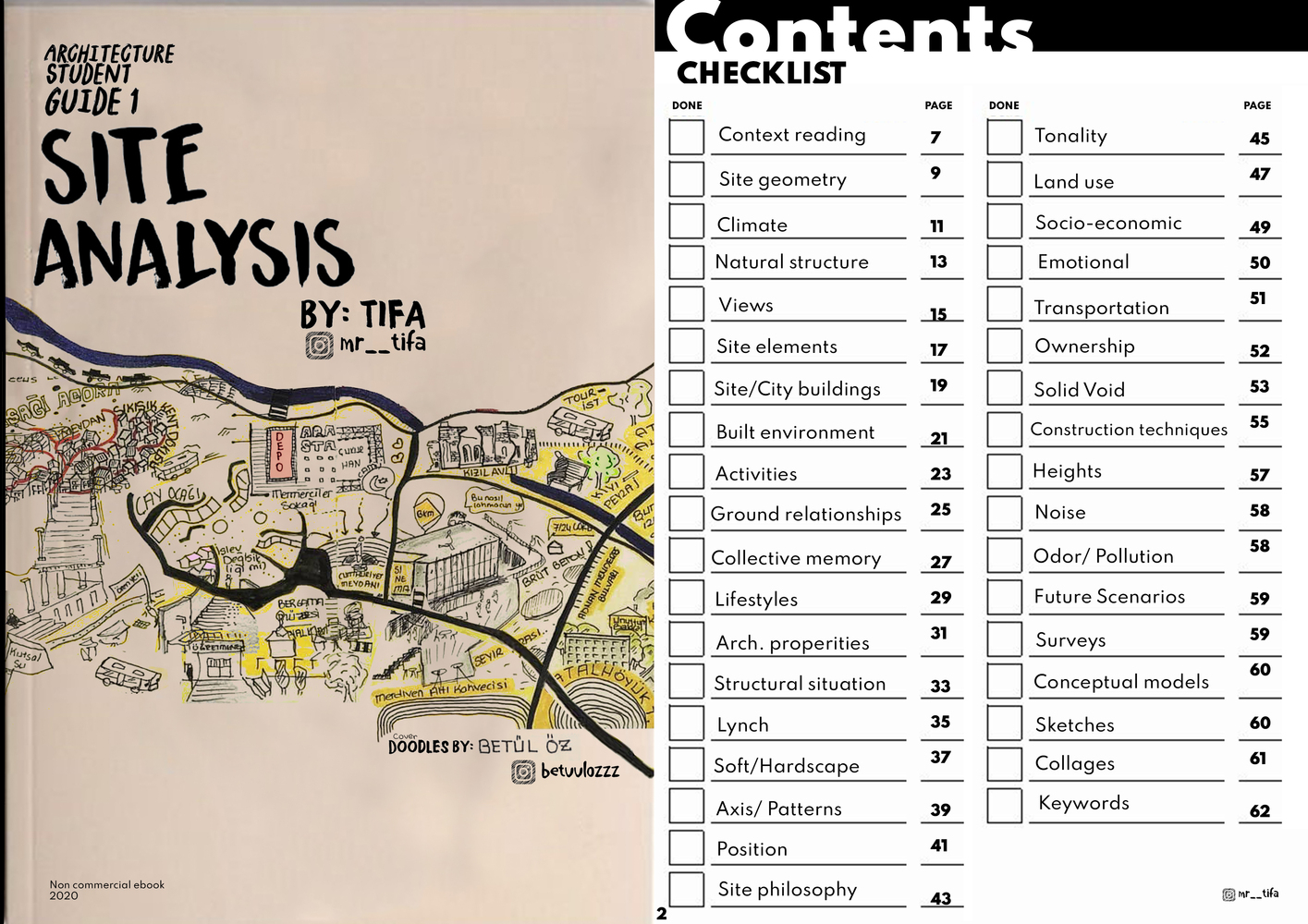
Site Analysis Ebook cover and contents
Objective Or Hard Data: What To Record In Step 5
Objective or hard data describes the physical and legal facts of a site. These facts exist whatever anyone thinks of them, and they can be measured or checked against a document. Use the nine categories below as a reference while you map. Leave out any that do not affect your brief.

© Taghreed Hawawsheh
1. Location
- Geographic location: the exact position of the site (coordinates, street, plot or parcel reference). Do not publish private addresses in student work about private homes.
- Site survey: get a measured or topographical survey if one exists and take the dimensions and levels from it.
- Aerial photographs and maps: collect current and historical images of the site and the area around it, and note what has changed.
- Site boundary: confirm the legal boundary and check it against what you see on site.
- Dimensions: area, side lengths, angles, shape and proportions.
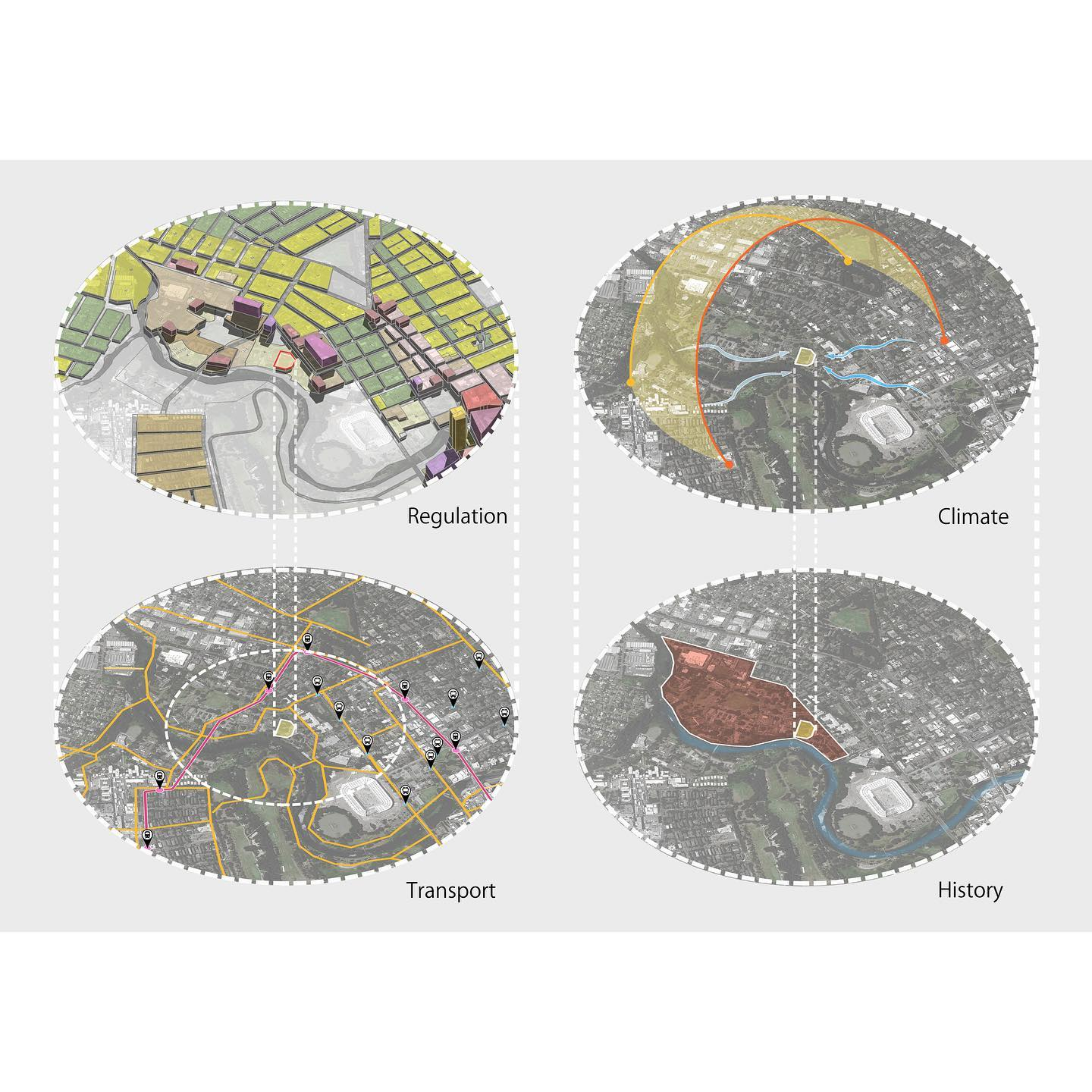
© roy_architecture
2. Authorities and regulations
Find out which level of government (national, regional or local) controls development on the site and which department deals with it. The names and rules vary by country and often by city, so record the exact policy document and edition you used. Local codes and policies always take priority over any general guide, including this one.
- Zoning and land-use designations: what may be built and how much (use, height, density, setbacks).
- Overlays: extra designations such as heritage areas, environmental or conservation protections, or green belt designations, each with its own limits.
- Flood risk: use the official flood map for your jurisdiction and record the flood zone or return period it gives. In England, for example, the Environment Agency defines Flood Zone 3 as land with a 1% (1 in 100) or greater annual chance of river flooding, or a 0.5% (1 in 200) or greater annual chance of flooding from the sea, without taking defences into account. Note any required floor levels or elevations above design flood levels.
3. Adjacent structures and conditions
- Land uses: the uses, structures and spaces on every side.
- Adjacent human-made conditions: private plots and public areas such as footpaths, entrances and roads.
- Distances: from the boundary to neighbouring buildings and spaces.
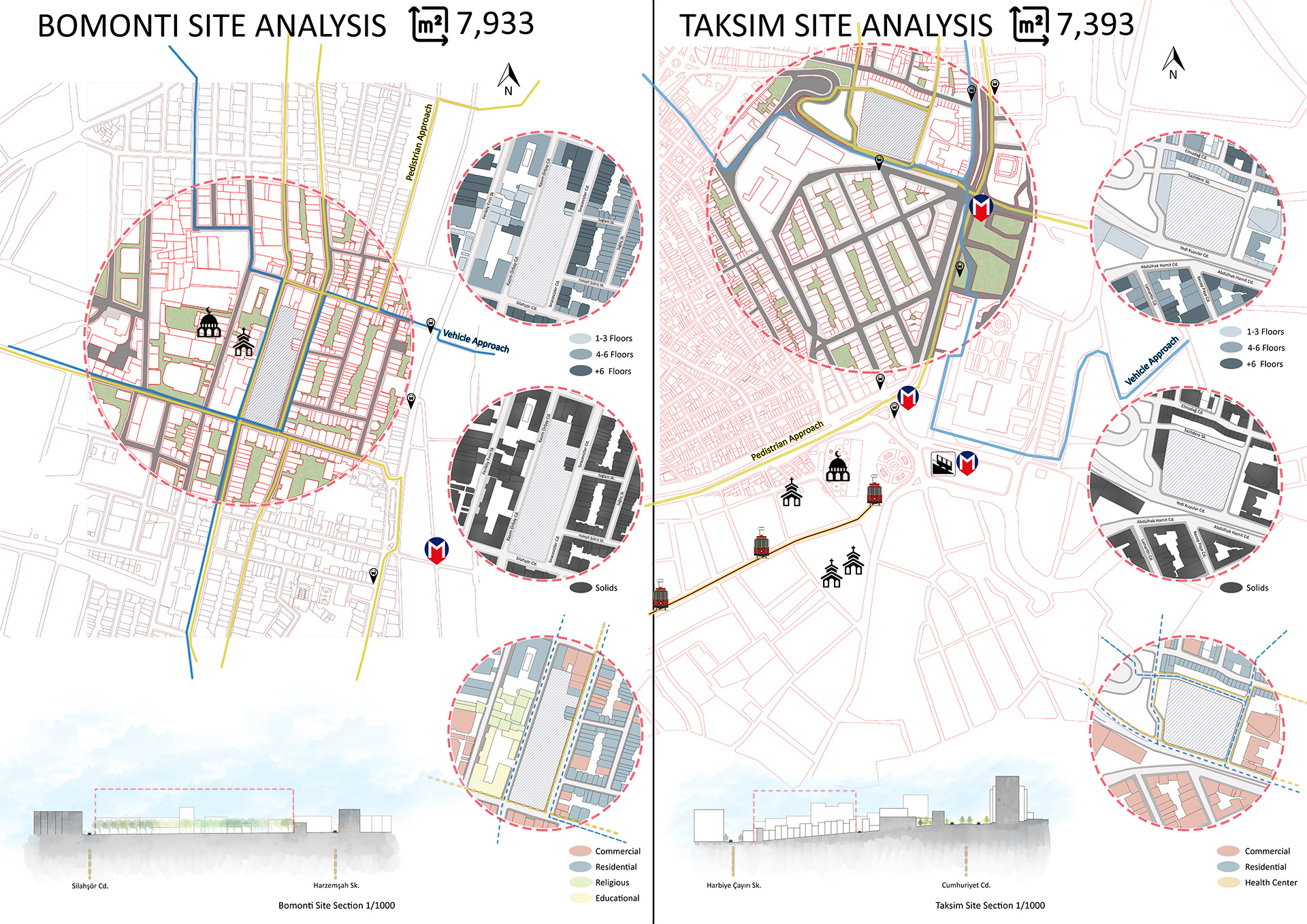
- Heights: of neighbouring buildings and structures, which you need for the shadow study.
- Vernacular: local styles, materials and distinctive features.
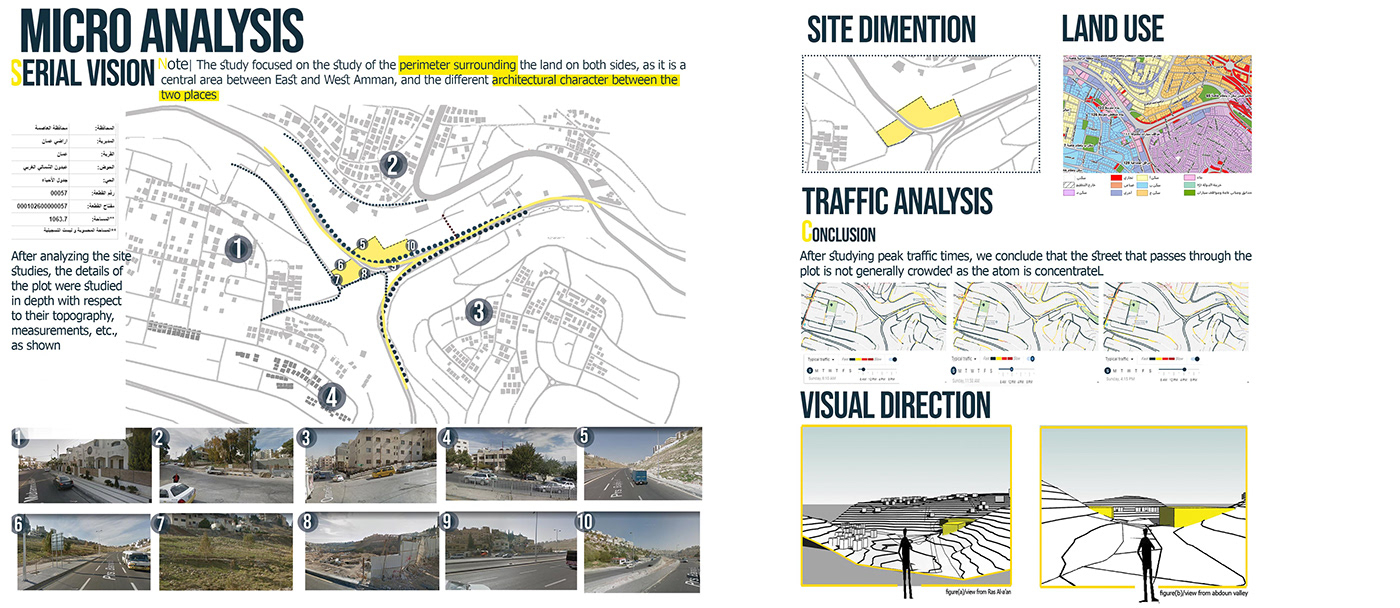
© Taghreed Hawawsheh
4. Streetscapes, elevations and sections
- Streetscape panoramas: photographs that record the character, form and materials of the street.
- Street and site elevations: levels at the boundary and street, the allowed building envelope, plus vegetation, existing structures and the heights of neighbours.
- Site sections: cuts through the site that show levels, boundaries, trees, existing structures and the buildings next door, with heights and distances.
© roy_architecture
5. Natural physical conditions
- Topography: contours, levels, gradients, slopes and landforms, checked against a survey.
- Vegetation: the different types of vegetation on the site, with heights, canopy spreads and likely root zones. Check whether any trees are legally protected.
- Geology and soil: geotechnical or soil reports, or geological maps for a student project. Ground conditions affect foundations and where you can build.
- Natural qualities: the natural materials, textures, colours and patterns in and around the site.
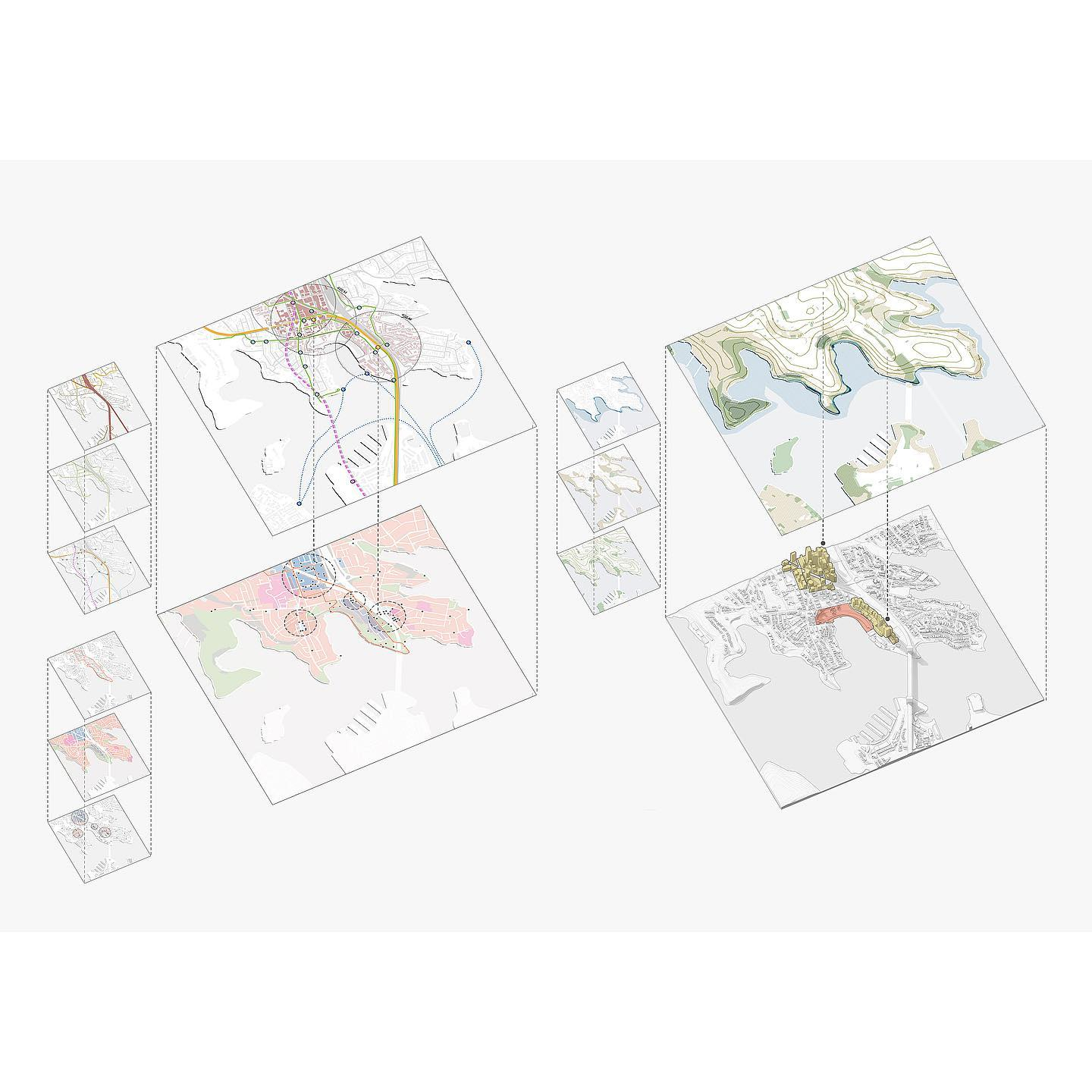
© roy_architecture
6. Artificial physical conditions
- Roads and kerbs: the materials, levels, widths and condition of the roads and curbs on or near the site.
- Footpaths: the condition, materials, widths and levels of paths on, beside or leading into the site.
- Ground surfaces: paving, steps and level changes.
- Street furniture: benches, poles, hydrants and bins, with their sizes and condition.
- Utilities: manholes, gullies, meters and telecom cabinets you can see, which hint at the services underground.
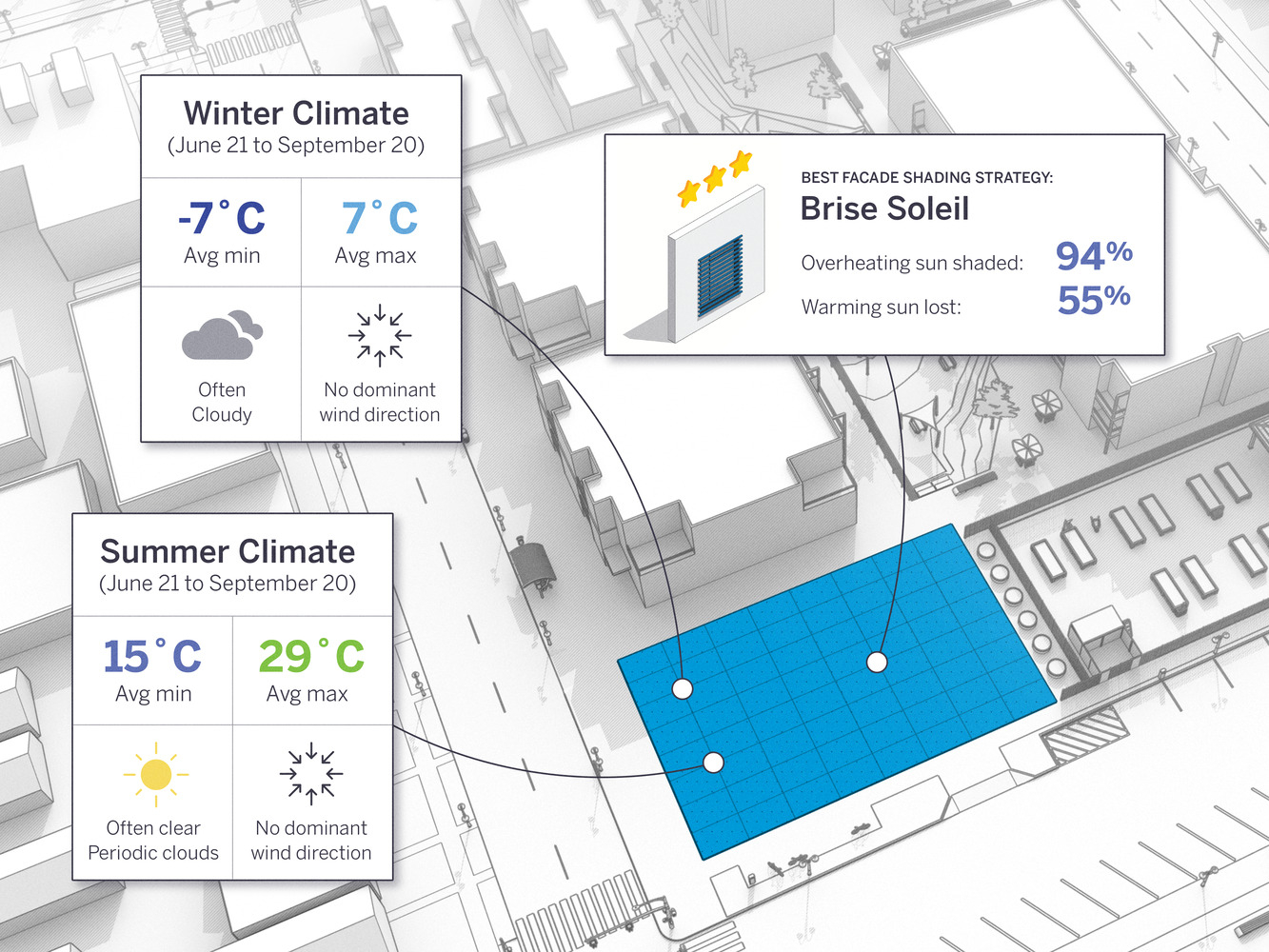
© Courtesy of SketchUp
7. Climate
Climate means the usual weather across the seasons and through the day. Use records from the official weather service for your country, and write down the station name and the period the averages cover.
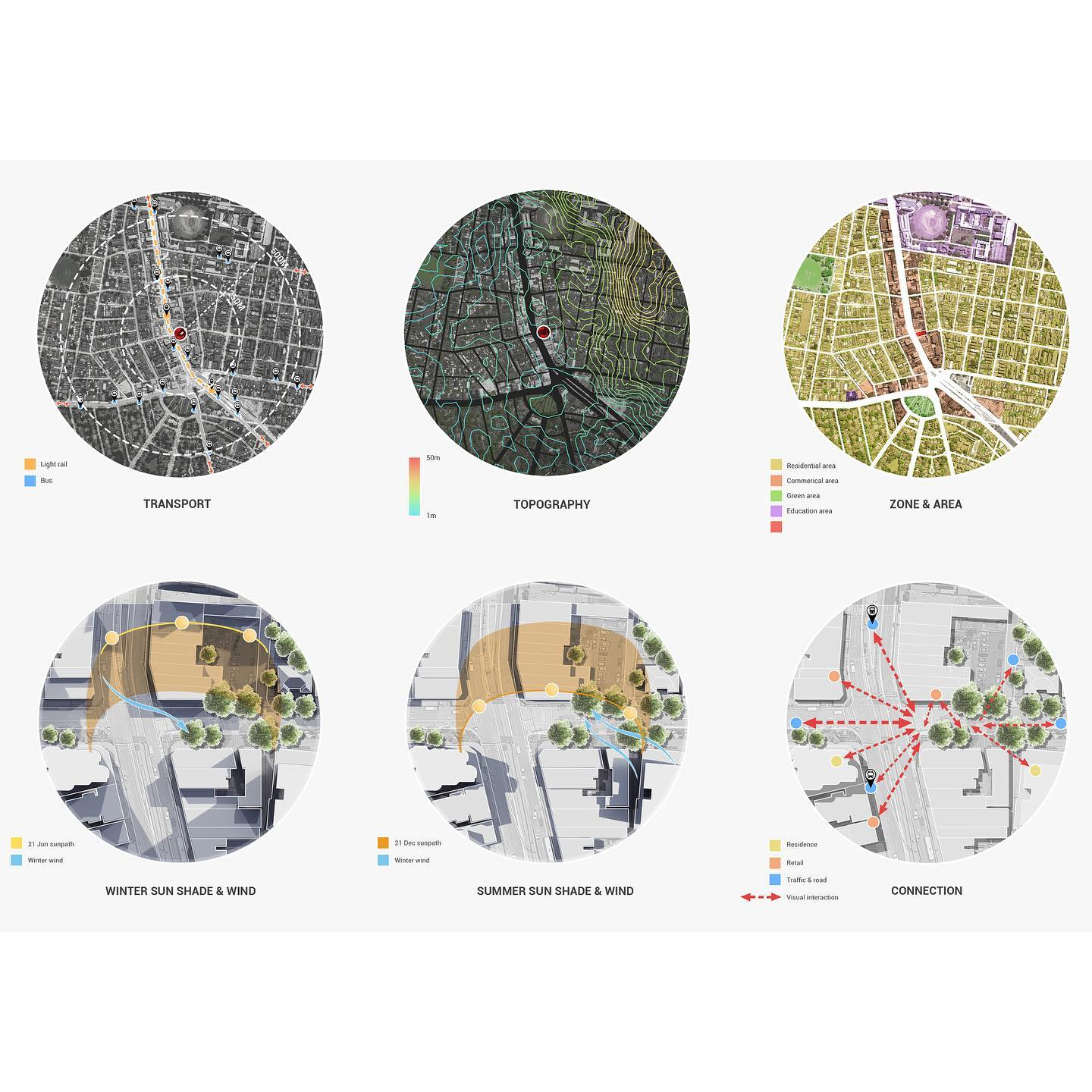
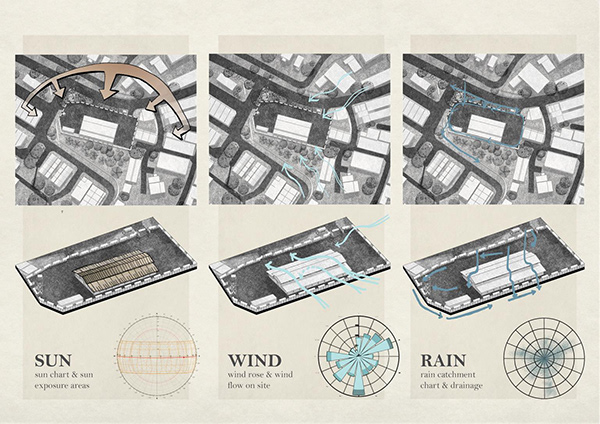
- Sun path, solar gain and shadows: at the very least, check the sun at the summer and winter solstices and an equinox, in the morning, at noon and in the afternoon. Work out the shadows cast by neighbouring buildings and trees.
- Precipitation: rainfall, snow and humidity by season.
- Temperature: monthly mean maximum and minimum values.
- Wind: wind direction and strength by season, plotted as a wind rose from station data. Mark exposed areas and existing shelter, and on site look for local effects such as gusts around tall buildings.
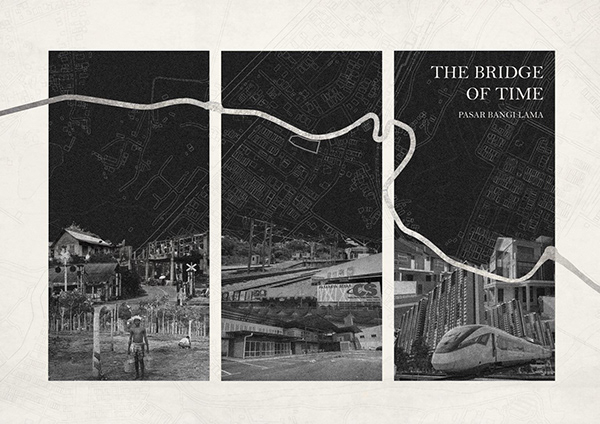
© Wei Jun
8. Site history and significance
- Previous uses: a short timeline taken from old maps and records.
- Contamination: past industrial or manufacturing uses that may have left contamination in the ground.
- Archaeology: whether remains may lie under the site. This can limit how deep foundations go.
- Historical significance: past structures, events or people that should be protected or acknowledged.
- Cultural significance: customs and ways of using the place that belong to the local community.
- Demographics: population data that shows who the project will serve.
© roy_architecture
9. Neighbourhood context
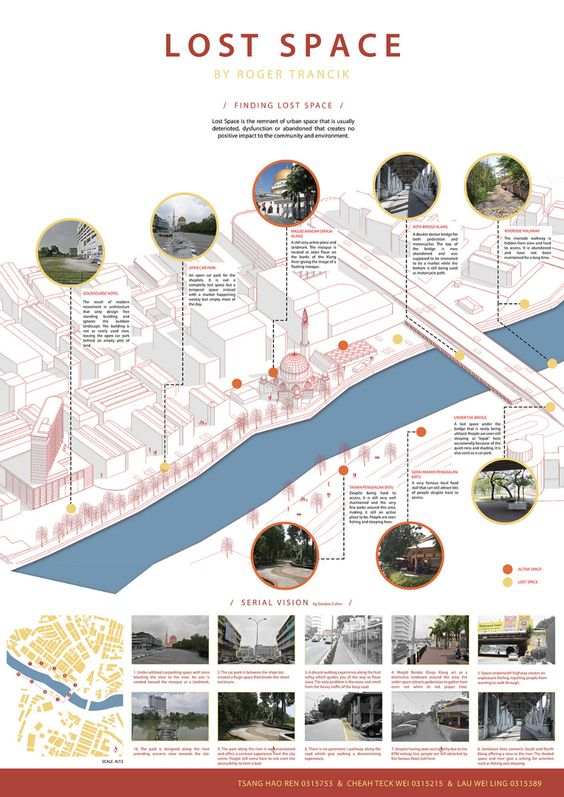
- Significant buildings, spaces and landmarks: photographs or sketches with notes.
- Architectural styles and character: the main architectural styles, materials and qualities of nearby buildings, with annotated images.
Subjective Or Soft Data
Soft data records how people use and experience the site. It depends on observation and judgement, so record when and how you observed each thing.
1. Access and movement
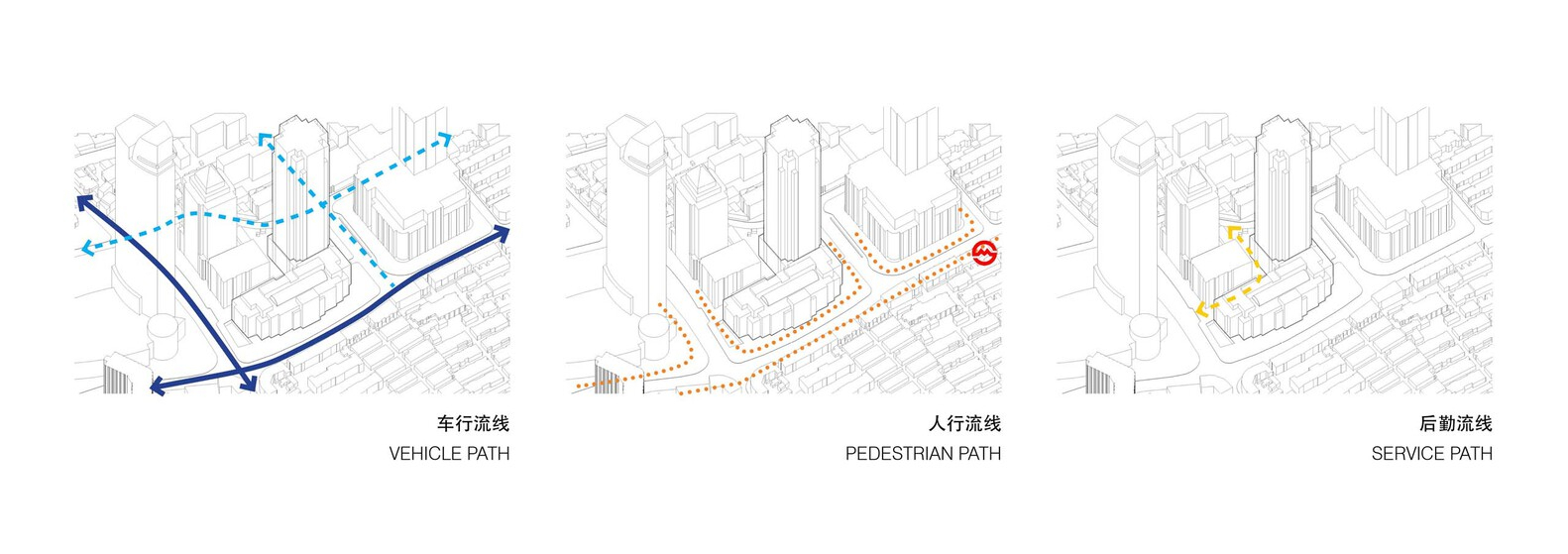
- People: pedestrian routes, entrances, exits and short cuts through and around the site.
- Vehicles: cars, service vehicles, bicycles and other modes, the hierarchy of nearby roads, and the entry and exit points.
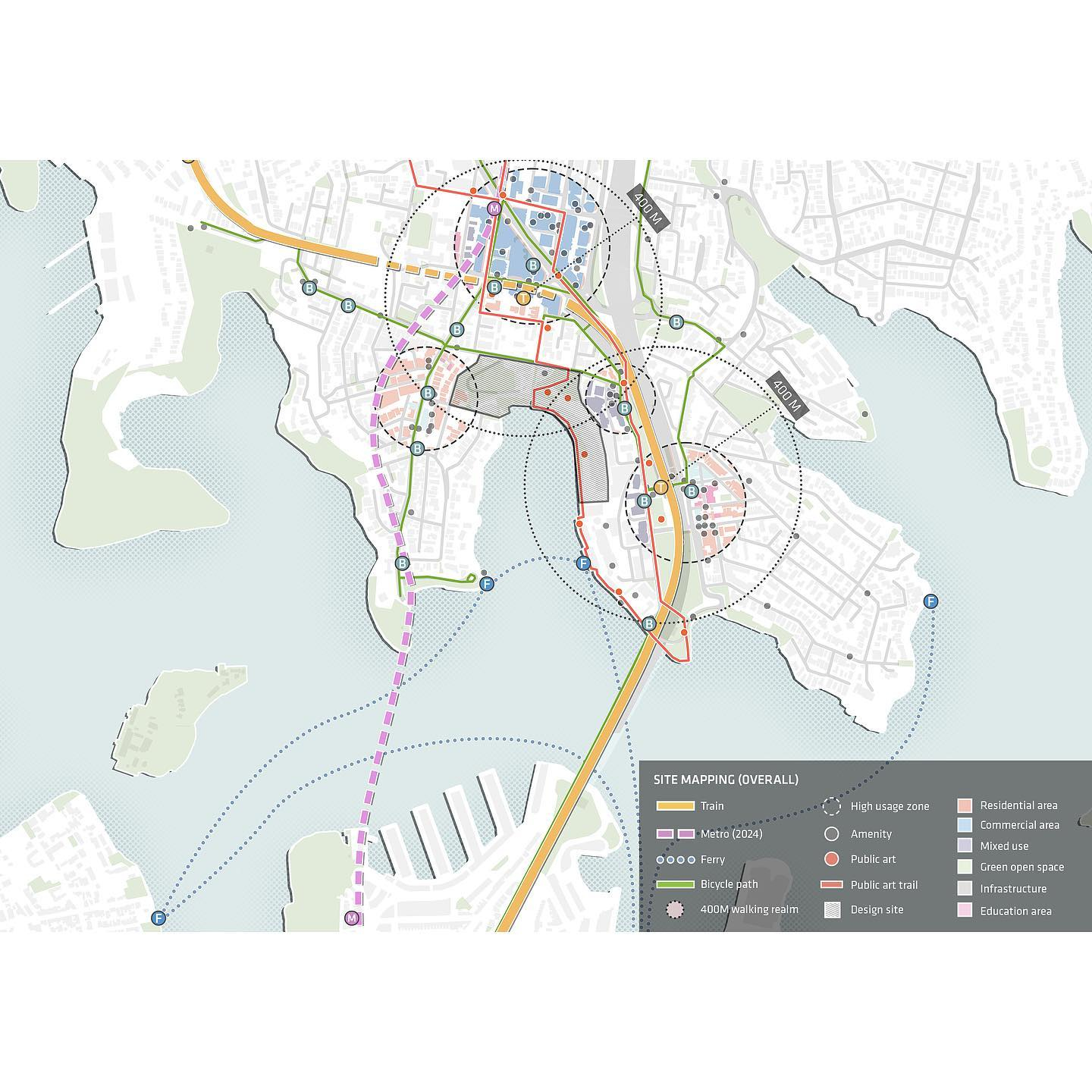
- Public transport: walking distances to bus stops, stations, tram stops and cycle lanes, and the routes they serve.
© roy_architecture
2. Views
- Views in: how the site looks from the streets that lead to it and from higher ground further away. Some cities protect particular views by law, so check the planning documents.
- Views out: short and long views from the site at different heights, sorted into positive views and negative ones.
3. Privacy
Where the site is overlooked, and where a new building could overlook its neighbours. Mark windows, gardens and balconies that look onto the site.
© WASEM B. HELLES
4. Sound and noise
Mark external noise sources (traffic, rail, events, plant) and say whether they are constant or happen at particular times. Show the quiet parts of the site, and note which parts of the brief need protecting from noise and which could produce it.
5. Smells
- Smells in: smells reaching the site from outside, and which wind directions bring them.
- Smells out: smells the project might produce (kitchens, bins, plant) and whether they need controlling.
Worked Example: Potters Fields Park, London, Analysed End to End
This example follows the eight steps on a real public site using only published sources. It is a desk study. The observation items (noise, smell, how people use the park) are written as tasks for your own visit, not as findings. Arch2O’s own diagrams for each step will be added to show the expected standard. The planning context is England (London Borough of Southwark) as of the documents cited. If your site is elsewhere, use your own local rules.
Step 1: The brief and the questions
Imagine a studio brief: a demountable seasonal pavilion (café, ticket kiosk and small stage) for a riverside park. The site questions are: What does planning allow on this open land? How much of the site is at risk of flooding? Where will a 7 m (23 ft) stage cast its shadow in winter? Which views must stay open? Where are the noise-sensitive neighbours?
Steps 2 and 3: Location, designations and history
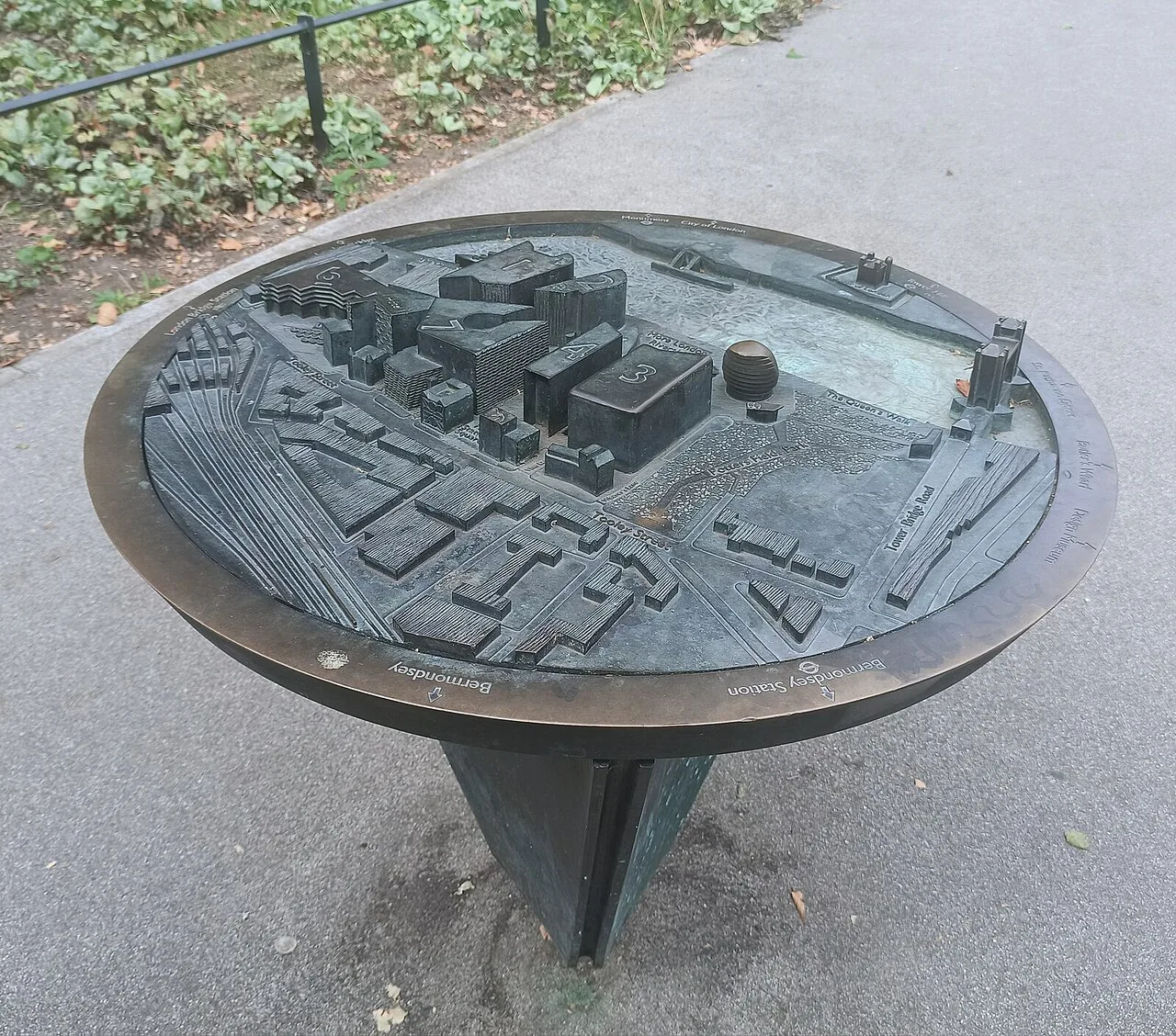
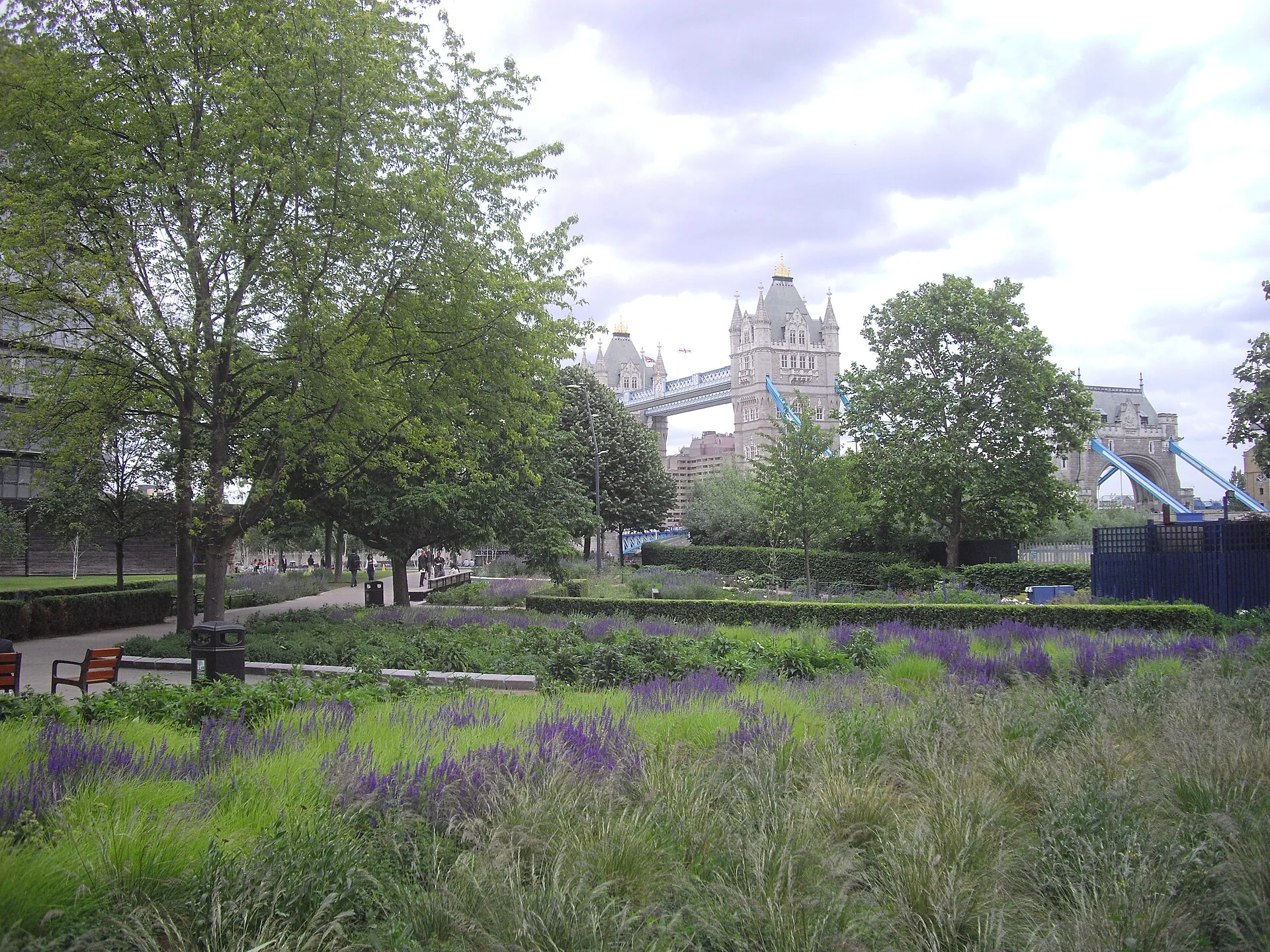
Potters Fields Park is a small public park in Southwark, at about 51.504°N, 0.079°W. It sits immediately south-west of Tower Bridge and south-east of City Hall. A Southwark planning officer’s report of 8 December 2025 describes it as 0.741 ha (about 1.8 acres) of Metropolitan Open Land on the north side of Tooley Street, with the Thames along its northern edge. It is made up of lawns, trees and public paths and is run by the Potters Fields Park Management Trust. The table below lists the designations named in that report and other official records, with what each one means for the brief.
| Designation or fact | Source | Design implication for the brief |
|---|---|---|
| Metropolitan Open Land, 0.741 ha (about 1.8 acres) | Southwark officer report, 8 Dec 2025 | Keep the site open: small, low, temporary structures only |
| Tower Bridge Conservation Area | London Gardens Trust inventory | Form and materials judged against the conservation area's character |
| Flood Zones 2 and 3 | Southwark officer report, 8 Dec 2025 | Flood risk assessment; raised or flood-resilient floors |
| London Bridge Critical Drainage Area | Southwark officer report, 8 Dec 2025 | Manage surface water; keep ground permeable |
| North Southwark and Roman Roads Archaeological Priority Area | Southwark officer report, 8 Dec 2025 | Avoid deep foundations; expect archaeology checks for ground works |
| Central Activities Zone; Thames Policy Area; Bankside, Borough and London Bridge Opportunity Area | Southwark officer report, 8 Dec 2025 | Central London and riverside policies apply |
| London View Management Framework views listed (e.g. Primrose Hill summit to St Paul's Cathedral) | Southwark officer report, 8 Dec 2025 | Check heights against the protected views |
| Next to Tower Bridge (Grade I listed); Tower of London World Heritage Site across the river | Southwark officer report, 7 Oct 2015 | Heritage setting; protect views in and out |
| Events permission 25/AP/1899: structures max. 800 m² in total; marquees max. 4 m, stages max. 7 m; no two-storey structures; up to 80 days a year for five years | Southwark officer report and committee decision, Dec 2025 | Sets the envelope for the pavilion brief |
| No Tree Preservation Order recorded | London Gardens Trust inventory | Still survey the trees and protect their root zones |
Source: London Borough of Southwark planning officer reports (application 25/AP/1899, 8 Dec 2025; application 15/AP/1776, 7 Oct 2015); London Gardens Trust inventory record SOU072 (as of 8 December 2025 (documents checked 20 October 2026)).
History matters here too. The park’s name comes from the potteries that worked in the area in the 17th and 18th centuries, starting with Pickleherring Pottery, founded in 1618. Its location in an Archaeological Priority Area follows from that past. The Landscape Institute’s case study of the park’s refurbishment describes a riverfront setting with views to the Tower of London, Tower Bridge and the City. The Parks & Gardens record notes a herbaceous garden designed by Piet Oudolf, one of the micro-scale features your site plan should show.
Step 5a: Sun path and shadows
The table below gives the sun’s position for the park’s latitude. We calculated it with the standard NOAA solar-position equations. You can check any value in SunCalc by dropping a pin on the park. As a quick rule, the noon sun altitude is about 90° minus the latitude, plus 23.4° at the June solstice and minus 23.4° at the December solstice. Shadow length is the object’s height divided by the tangent of the sun’s altitude. The planning permission caps stages at 7 m (23 ft) and marquees at 4 m (13 ft), so those are the heights used.
| Date (2026) | Solar noon (local clock time) | Noon sun altitude | Sunrise / sunset bearing | Approx. day length | Noon shadow, 7 m stage | Noon shadow, 4 m marquee |
|---|---|---|---|---|---|---|
| 20 March (equinox) | 12:09 GMT | 38.0° | 90° / 270° | 12 h 06 min | 9.0 m | 5.1 m |
| 21 June (solstice) | 13:02 BST | 61.9° | 49° / 311° | 16 h 38 min | 3.7 m | 2.1 m |
| 23 September (equinox) | 12:52 BST | 38.7° | 88° / 271° | 12 h 13 min | 8.7 m | 5.0 m |
| 21 December (solstice) | 11:58 GMT | 15.1° | 128° / 232° | 7 h 50 min | 25.9 m | 14.8 m |
Source: Arch2O calculation using NOAA general solar-position equations (bearings clockwise from true north; sunrise/sunset at −0.833° altitude); heights from Southwark permission 25/AP/1899. Check values in SunCalc. (as of Calculated 20 October 2026 for 2026 dates).
The key finding is the winter shadow. At noon on 21 December, a 7 m stage casts a shadow about 26 m (85 ft) long, towards the north. Put the stage on the south side of a lawn and its shadow falls across that lawn all winter. Put it on the north side, towards the river, and the shadow falls on paths and water instead. The June sunset azimuth of about 311° also shows that summer evening sun comes from the north-west, across the river, which is useful for a café terrace.
Step 5b: Climate data to collect
For temperature, rainfall and wind, use the Met Office’s central London station at St James’s Park or the station nearest your site. Download its long-term averages and build a wind rose from the station’s records rather than assuming a prevailing direction. Write the station name and period on the diagram. A riverside site like this one is also worth checking on a windy day for gusts along the open water.
Step 6a: Access and movement
The edges are clear from the map: the Thames to the north, Tooley Street to the south, the approach to Tower Bridge to the east and City Hall to the north-west. Confirm each edge on an official map before drawing. On site, record the main pedestrian routes between these edges, where the riverside route is continuous, the entrances and steps, step-free routes, and how service vehicles could reach an events area. For a pavilion that operates for part of the year, servicing matters as much as visitor access.
Step 6b: Views
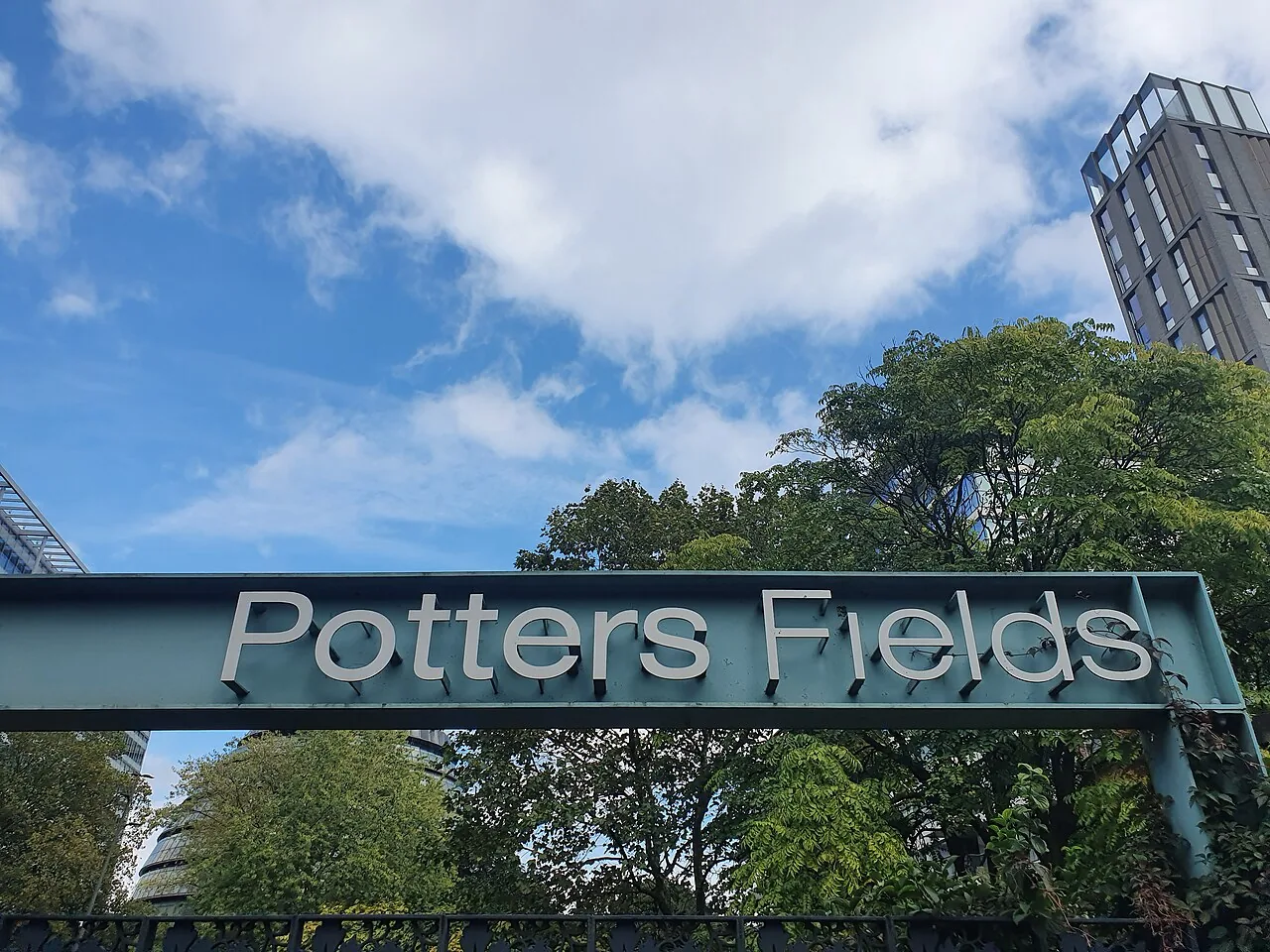
Views here are protected by policy, not just a matter of taste. Tower Bridge is a Grade I listed structure next to the park, and the Tower of London World Heritage Site is directly across the river, according to Southwark’s 2015 officer report. UNESCO’s state-of-conservation reporting for the Tower of London notes that London View Management Framework views, including the River Prospect from Tower Bridge, take in the Tower. The 2025 report also lists London View Management Framework views, such as Primrose Hill summit to St Paul’s Cathedral. For your views diagram, draw the views out (Tower Bridge, the Tower, the City skyline) and the views in (from the bridge and the riverside walk). Then check the official viewing places before you place anything tall.
Step 6c: Noise, smell and privacy
Expect traffic noise from the bridge approach, and event noise inside the park. Noise was a real planning issue here. When the committee granted the 2025 events application, it amended the condition limiting the hours when music may be played on site. Homes nearby include the Potters Fields mixed-use scheme by Ian Ritchie Architects for Berkeley Homes, which has more than 380 apartments. On your visit, record noise levels and their sources at different times, any smells from food stalls or bins, and which windows overlook the lawns.
Steps 7 and 8: Analysis and the zoning diagram
The 2025 permission divides the park into four event lawns: Lawn 1 of 944 m², Lawn 2 of 1,642 m², Lawn 3 of 2,579 m² and Lawn 4 of 1,960 m². It allows temporary structures totalling no more than 800 m² (about 8,600 sq ft) for up to 80 days a year, with no two-storey structures. These are the “hard” limits. Ranked, the findings for the pavilion brief read like this:
- Openness (Metropolitan Open Land) → keep the footprint small, single-storey and demountable, well under the 800 m² cap. Leave the largest lawn open.
- Flood Zones 2 and 3 and a critical drainage area → raised or flood-resilient floors, nothing at risk stored at ground level, and permeable ground left undisturbed. A real project would need a flood risk assessment.
- Archaeological Priority Area → ballasted or surface-bearing foundations instead of deep piles.
- Heritage views → keep tall elements out of the views towards Tower Bridge and the Tower, and use the 4 m marquee height as the default.
- Winter shadow → place the 7 m stage on the river (north) side of a lawn so its 26 m noon shadow does not fall across the lawn.
- Noise-sensitive neighbours → point the stage and speakers away from the homes. Kitchen extracts and bins go downwind of the paths, once the wind rose confirms which way that is.
The synthesis board puts these six rules onto one site plan: a buildable zone, protected view corridors, a zone kept clear of shadow, the service route and noise buffers. Every line on it can be traced back to a source or an observation. That is the standard examiners and clients look for.
Downloadable Site-Analysis Checklist
Use this checklist on your own project. It follows the eight steps, says where to find each item, and names the drawing it should end up in. It is based on the categories above and cross-checked against the desktop-study and site-visit lists published by First In Architecture. Print it and take it to site. Cross out anything your brief does not need.
| Step | What to check | Where to find it | Goes into |
|---|---|---|---|
| 1 Brief | 5–10 site questions; red-line boundary | Brief, client or tutor | Cover sheet |
| 2 Base | Location, context and site plans at fixed scale and orientation | Official survey or map; CAD/GIS export checked against it | All diagrams |
| 3 Desktop | Zoning, land use, conservation, heritage, open-land and protected views | Local planning authority policies map and committee reports | Constraints plan |
| 3 Desktop | Flood risk and surface-water drainage | Official flood map for your jurisdiction | Constraints plan; site section |
| 3 Desktop | Previous uses, contamination, archaeology | Historic maps, archives, planning records | History timeline |
| 3 Desktop | Topography, geology, soil | Topographical survey; geological survey maps | Site sections |
| 3 Desktop | Temperature, rainfall, wind (station and period noted) | Official meteorological service | Climate panel; wind rose |
| 3 Desktop | Sun path and shadows: solstices and equinox, morning, noon, afternoon | Sun-path tool, checked by calculation | Sun and shadow diagram |
| 3 Desktop | Roads, public transport, parking rules | Transport authority maps | Access diagram |
| 3 Desktop | Population and demographics | National census | Context panel |
| 4 Visit | Boundary, dimensions, levels, surfaces | Tape or laser measure; photos | Site plan |
| 4 Visit | Trees and vegetation (any legal protection) | Observation; council records | Site plan |
| 4 Visit | Neighbouring heights, uses, materials, condition | Observation; photos; panoramas | Elevations; sections |
| 4 Visit | Visible utilities: manholes, gullies, meters | Observation | Services plan |
| 4–6 Visit | Pedestrian and vehicle movement, step-free routes, servicing | Observation at different times | Access diagram |
| 6 Soft | Views in and out, positive and negative | Walk every approach; photos | Views diagram |
| 6 Soft | Noise and smells: sources and times | Time-stamped notes; official noise maps where published | Noise diagram |
| 6 Soft | Privacy and overlooking | Observation | Privacy diagram |
| 6 Soft | Activities and how people use the space | Observation on different days | Use diagram |
| 7 Analyse | Each finding → design implication, ranked | Your diagrams plus the brief | Constraints and opportunities list |
| 8 Synthesise | Buildable zone, open space, approach, sunny zones, buffers | All of the above | Synthesis board |
Source: Arch2O checklist, cross-checked against First In Architecture's desktop-study and site-visit checklists (as of 20 October 2026).
Tools for Site Data (Official Links)
No single app does the whole job. Base maps, sun, flood risk, climate and planning records each come from different places, and your local authority’s own maps are more authoritative than any commercial layer. The table lists tools by task, with official links. The best app for site analysis is the one that gives you checkable data for the task in front of you. For the formal record, use official sources (planning portal, flood map, weather service). Use commercial tools to speed up drawing and modelling.
| Tool | Use it for | Access / cost (checked 20 Oct 2026) | Official page |
|---|---|---|---|
| Local planning authority records (e.g. Southwark ModernGov) | Designations, officer reports, planning conditions | Free online | moderngov.southwark.gov.uk (use your own authority's portal) |
| Environment Agency Flood Map for Planning (England only) | Flood Zones 2 and 3 | Published openly | environment.data.gov.uk |
| Met Office (UK) | Station observations and climate records | Free online | metoffice.gov.uk |
| SunCalc | Sun position, sunrise/sunset bearings, shadow length on a map | Web app | suncalc.org |
| CADMapper | CAD base files of an area (see Arch2O's CADMapper guide) | Check current terms on the official site | cadmapper.com |
| UrbanEyes | Context maps, climate and sun preview, feasibility reports | Free preview; free map exports within 350 m; reports from €4.60 per analysis (yearly) or €7.99 per site (pay as you go) | urbaneyes.in |
| First In Architecture site analysis symbols | Arrows, trees and north points for diagrams in CAD, Revit and ArchiCAD | Via the First In Architecture shop | firstinarchitecture.co.uk |
Source: Official pages of each tool; UrbanEyes pricing from urbaneyes.in (as of 20 October 2026).
Is Urban Eyes site analysis free? Partly. As of 20 October 2026, UrbanEyes says that searching an address gives a free preview with the surrounding buildings, a year of climate data and solstice sun angles, with no account needed. Map exports within a 350 m radius are free, and its Urbanaut plug-in has a free plan. The full analysis report is paid: from €4.60 per analysis on a yearly subscription, or €7.99 per site pay as you go. Prices change, so check before you rely on them.
Can ChatGPT do architectural drawings? General-purpose AI chatbots can help you draft a checklist, summarise a planning policy you give them or sketch a diagram style. They do not produce measured, scaled drawings tied to a survey, and they can state wrong facts with confidence. Treat their output as a draft. Check every designation, dimension and date against the official source, as this guide does for Potters Fields Park, and follow your school’s rules on using AI.
From Analysis to Design: What to Do Next
Site analysis gives you inspiration as well as rules. Done well, it ends with a short list of design moves you can defend: where to build, what to keep open, which way to face and what to screen. Start with your brief’s questions, collect only what answers them, record a source for every fact, and finish with one synthesis diagram. Then take that diagram into massing studies, and put the board at the front of the project in your portfolio.
Sources and Further Reading
- First In Architecture: Architecture Site Analysis Guide: the method and checklist used as a cross-check.
- Monograph: Guide to Site Analysis: the research, analysis and synthesis phases.
- Theorising site analysis: from analysis-synthesis-evaluation to co-evolution (The Journal of Architecture, Taylor & Francis).
- London Borough of Southwark: officer report, application 25/AP/1899, Potters Fields Park (8 December 2025).
- London Gardens Trust inventory record: Potters Fields Park.
- Environment Agency: Flood Map for Planning, flood zones dataset (England).
- SunCalc: for checking sun position and shadow length at any location.
Turn observations into design decisions
A site-analysis board is most useful when each observation changes a design choice. Use three columns in your notes: evidence, interpretation and response. For example, an observed busy edge is evidence; a likely need for acoustic separation is an interpretation; placing less noise-sensitive rooms there is a proposal to test. Mark whether each item came from a dated visit, a mapped dataset or an assumption. Return to the source when two observations conflict. This keeps a diagram from becoming a collection of attractive arrows with no consequence for the brief.

Mariam Abady is a dedicated editor at Arch2O, bringing a passion for sustainable and adaptive architectural practices. Based in Alexandria, she has contributed over 110 thoughtfully curated articles since joining in October 2023, showcasing her depth across cultural, educational, eco‑friendly, and urban infrastructure projects . With a background as a BIM engineer and architect, Mariam skillfully enhances the platform’s visual and thematic cohesion, staying attuned to emerging trends in lighting, material innovation, and urban design. Her editorial voice combines technical insight with creative storytelling, enriching Arch2O’s architectural discourse.