

How to make architectural models in short: decide what the model must explain, choose a scale that shows that level of detail, pick a material you can cut cleanly, cut every piece from accurate templates, assemble from the base upwards, and finish with only the materials, landscape and figures the idea needs. This guide is for architecture students and early-career architects. It walks through each step, compares the common materials and scales in two tables, and explains the main types of model, from quick sketch models to finished presentation models.
What is an architecture model?
An architecture model is a physical, three-dimensional representation of a building, interior or urban design project. Model-making is one of the core skills of an architecture student, alongside drawing and 3D printing and digital modelling.
Models show how spaces, volumes and elements work together in reality, and they are easier to understand than drawings for people without architectural training. How do architects make their models? Usually by hand with card, foam board and wood for study and presentation, increasingly with laser cutters and 3D printers for precise parts, and through specialist model makers for large competition or marketing models.
What to use: model materials compared
What is the best material for making architectural models? When you learn how to make architectural models, you soon find there is no single best one: it depends on the stage, the scale and the time you have. The table compares the most common options.
| Material | Best for | Skill needed | Main tools | Relative cost | Watch out for |
|---|---|---|---|---|---|
| Paper and card (incl. grey board / chipboard) | Sketch and massing models, layered contours | Low | Knife, ruler, mat, glue | Low | Warps with wet glue |
| Foam board (3-5 mm typical) | Walls, floors, bases, study models | Low to medium | Sharp knife, steel ruler, pins, PVA | Low to medium | Crushed edges if blades are blunt |
| Balsa wood | Quick timber models, frames, trusses | Low to medium | Knife, fine saw, wood glue | Medium | Soft and easily dented |
| Basswood and plywood | Precise presentation models, structure | Medium to high | Knife, razor saw, laser cutter | Medium to high | Grain direction; laser burn marks |
| Cork sheet | Contours, landscape, timber impression | Low | Knife, glue | Low | Breaks easily |
| Acrylic (laser-cut) | Glazing, crisp presentation parts | Medium (CAD) | Laser cutter, acrylic cement | Medium | Lab approval; scratches |
| 3D-printed parts | Complex or curved forms, repeated details | Medium (3D modelling) | 3D printer, sanding, primer | Medium to high | Print time; visible layer lines |
| Clay and plasticine | Fast form studies, landscape | Low | Hands, wire tools | Low | Not durable for presentation |
Source: Arch2O summary; laser-cutter material rules from Yale and SIU fabrication lab guidance (as of 24 October 2026).
If you use a laser cutter, check your workshop’s approved-materials list first. School fabrication labs commonly allow acrylic and basswood but ban PVC and other chlorine-containing plastics, which release harmful gases when cut, as Yale School of Architecture’s laser-cutter guidance and Southern Illinois University’s materials list show. Rules on MDF vary between labs, so always follow your own shop’s list.
How to make architectural models step by step
The steps below follow the order most studio tutors teach, and they work for a simple house model or a larger scheme.
1. Decide what the model must show
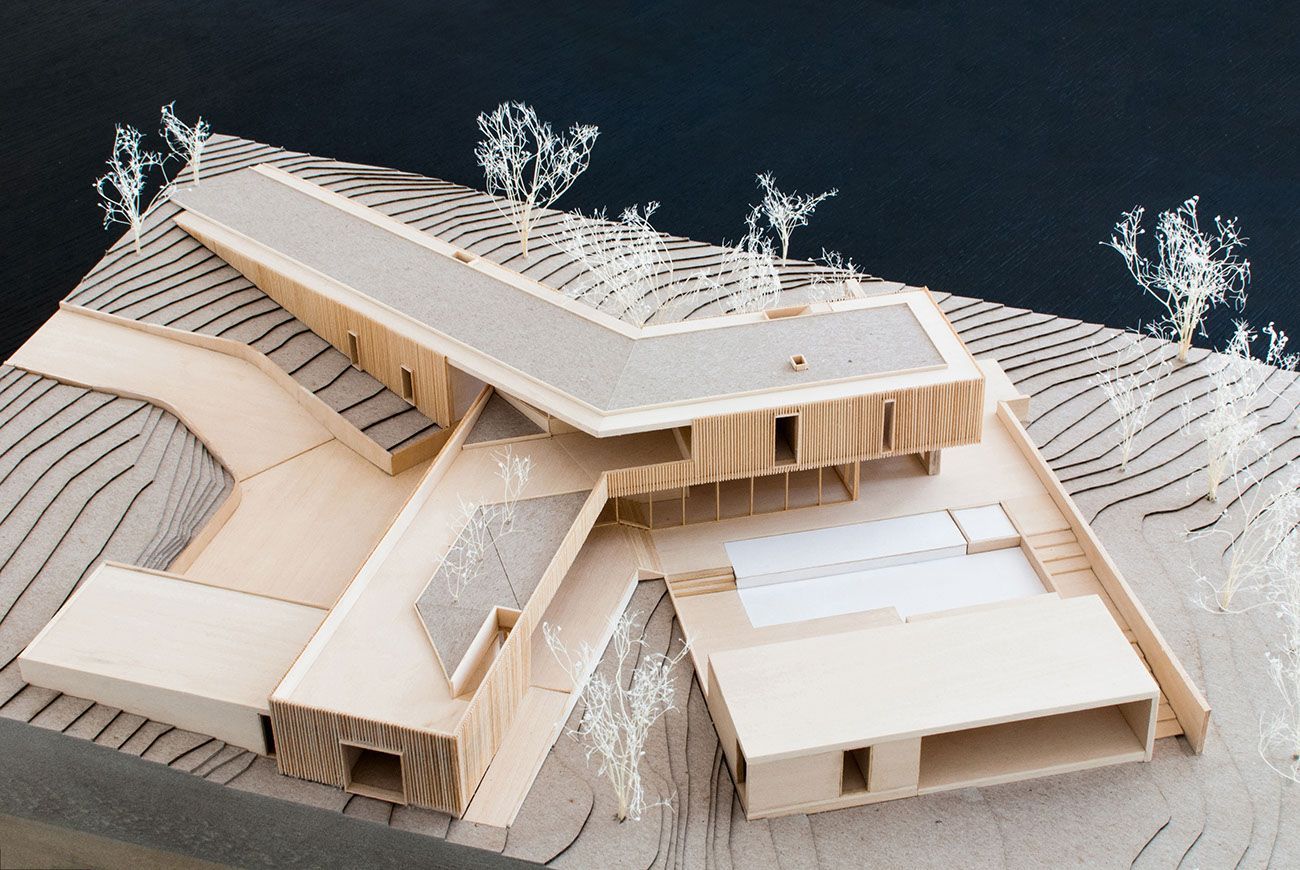
First, understand what the model is for. If the idea is mainly about form, focus on a base material that shows the form clearly, whatever the inside looks like. A house model may need to show both the facades and the interior layout, which means more detail. A model of an apartment interior is all about the inside. Urban design models cover whole neighbourhoods, so each building needs far less detail.
Also read: 14 of the most anticipated architecture projects
Pinwheel. ©baldridgeArchitects
2. Choose a scale
The scale decides how much detail you can show and how big the model will be. As a general guide, building models usually range from 1:10 to 1:200, and urban models from about 1:500 to 1:2500, depending on the area covered, as set out in the scale guide accompanying Basics Architecture 01: Representational Techniques (architectural-models.info). The table shows typical uses.
| Scale | Typical model | What it can show |
|---|---|---|
| 1:2500 – 1:1000 | Large urban area or masterplan | Block forms, streets, topography |
| 1:500 | Site or neighbourhood | Building masses and their context |
| 1:200 | Building in its site | Massing, openings, main outdoor spaces |
| 1:100 | Building | Floor plans, facades, main structure |
| 1:50 | Detailed building or interior | Rooms, furniture, stairs, facade depth |
| 1:20 – 1:10 | Interior or construction detail | Materials, joints, furniture detail |
Source: Ranges per the Basics Architecture 01 scale guide (building models 1:10-1:200; urban 1:500-1:2500); typical uses by Arch2O (as of 24 October 2026).
3. Prepare drawings and templates
Print your plans, sections and elevations at the model scale and use them as cutting templates and as a base to build on. For repeated pieces, make one accurate prototype and use it as a template for the rest; cutting is faster and more consistent. If you plan to laser-cut, draw the pieces as clean vector lines in CAD.
4. Cut cleanly
©Fruzsi Boutros
Cutting can make or break a model: neat edges make it read clearly, while ragged edges spoil even a good design. For clean cuts, use:
- Fresh blades: a utility knife with snap-off or replaceable blades, changed often.
- A precision (scalpel-type) knife: for small details in paper, card, foam board and thin plastic.
- Small scissors: for fine paper details; choose a comfortable grip for long sessions.
- A steel L-square: for accurate right angles; masking tape on the back stops it sliding.
- Metal rulers: 150 mm, 300 mm and 450 mm (6, 12 and 18 in) lengths cover most models; always cut against metal, not plastic.
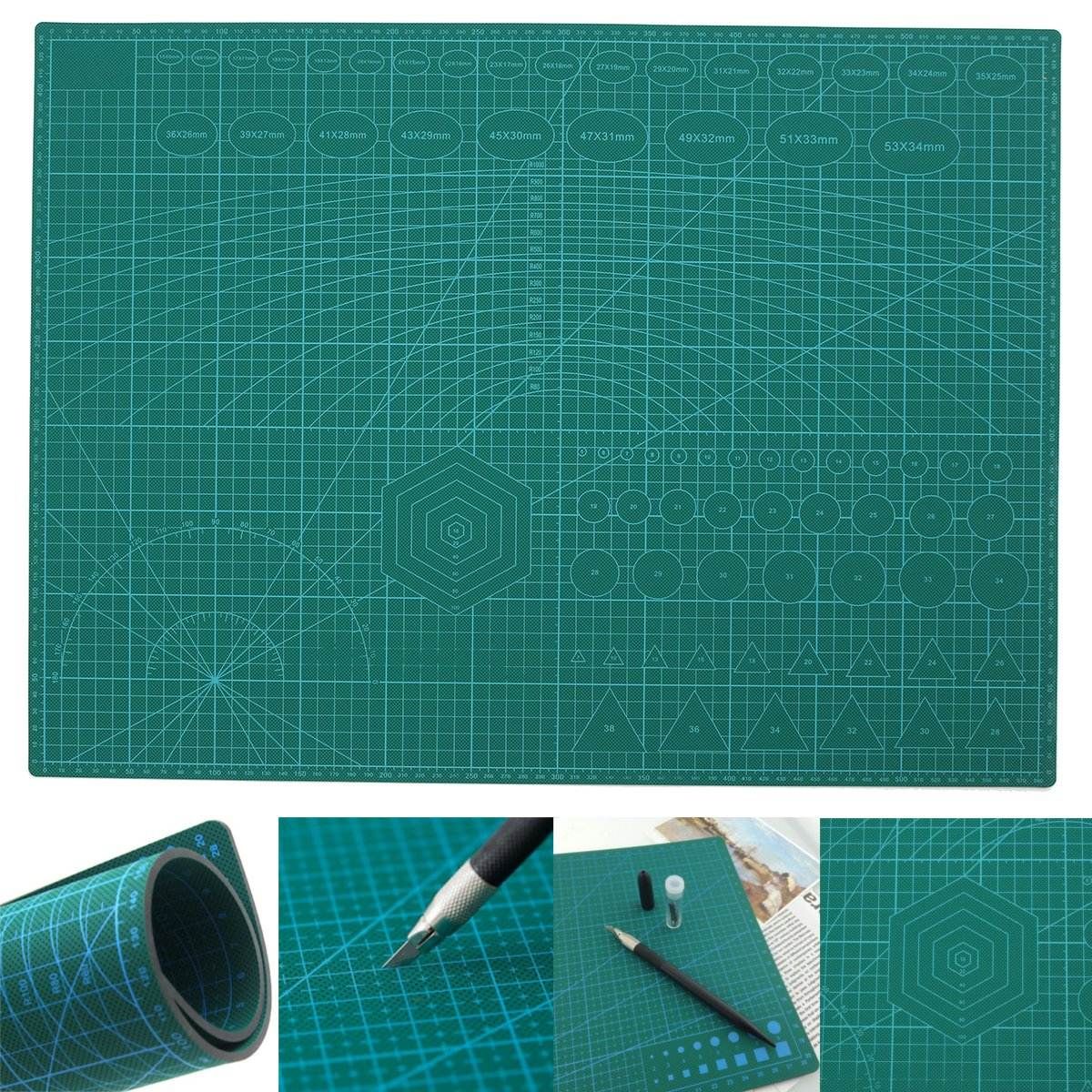
- A self-healing cutting mat: protects blades and your desk.
- Laser cutting: for precise or repetitive parts; draw the pieces in CAD and follow the lab’s material rules.
Also read: the most iconic buildings of modern architecture
Cut away from your body and hand, keep a first-aid kit nearby, and make several light passes rather than one heavy one. Before relying on a laser cutter, build a model by hand at least once: it teaches you how materials behave.
5. Assemble from the base upwards
Build the base or site first, then floors and walls, then roofs. Choose adhesives to suit the material, time and budget:
- Glue sticks: cheap and easy, but weak; suitable only for paper.
- White (PVA) glue: strong and neat, but slow to dry.
- Tacky glue: a thicker white glue that grabs and dries faster.
- Hot glue: fast and strong, but it can burn, leaves no time for adjustment and looks messy on fine models.
- Wood glue: for timber models; wipe off excess immediately, because it stains.
- Double-sided tape: neat and quick, but hard to reposition without tearing paper or foam board surfaces.
- Glue syringes: filled with white or tacky glue, they place small amounts exactly where needed.
While glue sets, hold pieces in place with straight pins, and check corners with the L-square as you go.
6. Add finishes, sparingly
Representing materials takes some creativity. The most common approaches are:
©Tim Viktorsson
- printing tile or brick patterns at the correct scale and fixing them to the walls, or buying ready-made sheets;
- corrugated card for roofs and some wall finishes;
- thin clear plastic sheet for glass;
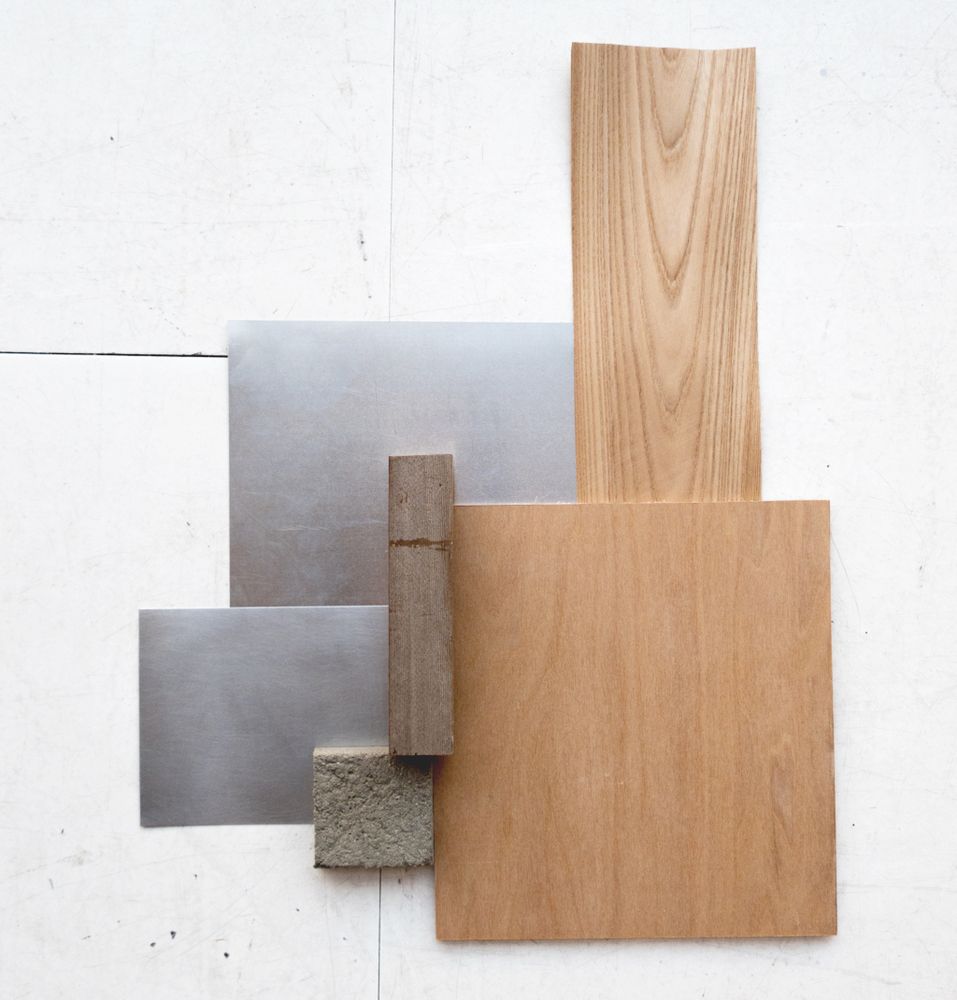
- wood veneer or balsa strips for timber screens and cladding, and cork sheet for a general impression of wood;
- spray paint, coloured paper or coloured foam board for coloured surfaces.
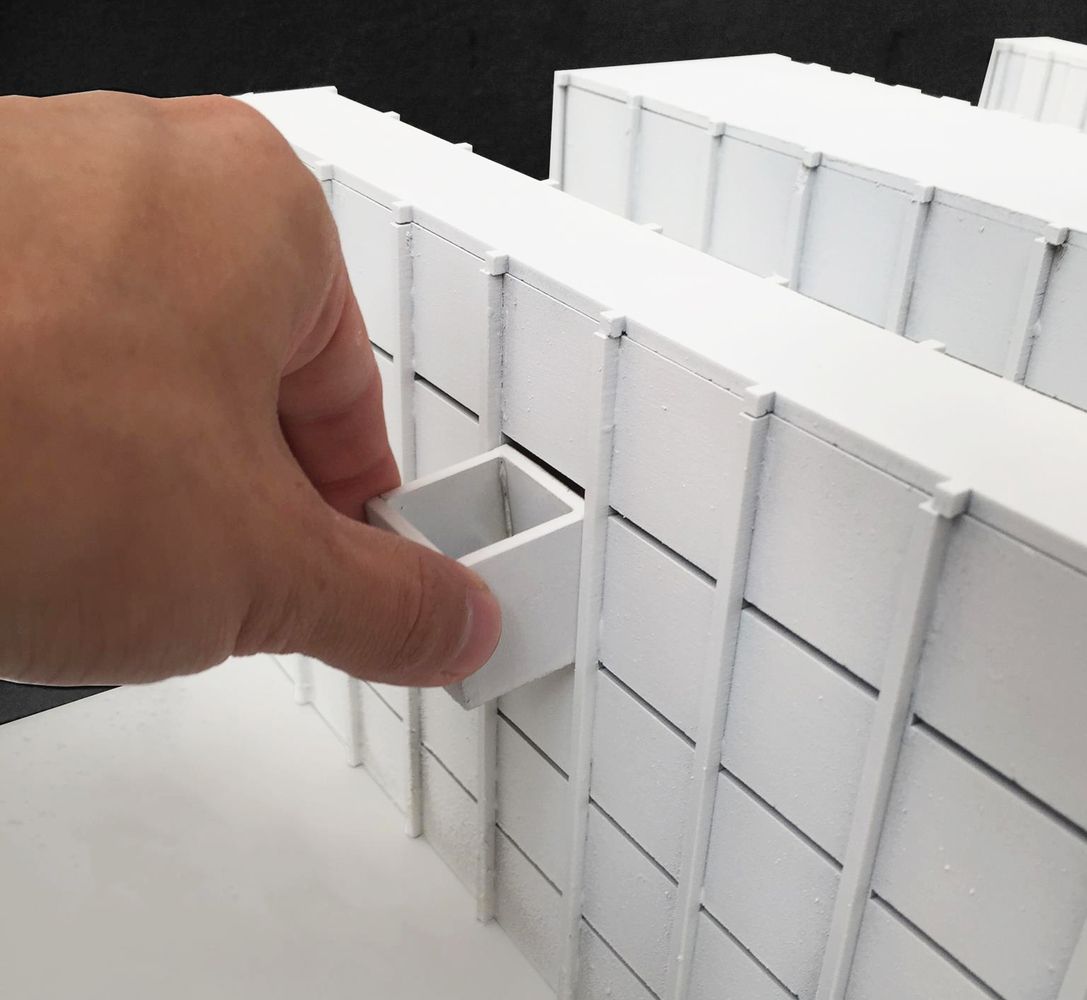
Do not overdo it. Too many materials, especially flat stickers with no texture, look artificial. Many of the strongest models are monochrome, with texture and shadow doing the work. Show only what is essential to the idea.
Also read: secret room ideas
7. Furnish and landscape
Ready-made furniture and figures save time but can be expensive, and they cannot show furniture you have designed. Make your own from modelling clay, 1 mm card or foam board, or coloured foam sheet.
For the landscape:
- Ground and paving: printed or bought sheets; raise pavements with a thin layer of card at the right scale height.
- Roads: draw markings or use ready-made strips.
- Water: blue paper under thin textured clear plastic.
- Grass and planting: ready-made mats and tufts, real moss, or sawdust sprayed green.
- Trees: trunks from twisted wire, toothpicks or pins; canopies from green-dyed sponge, foam or cotton, or abstract spheres and wire frames for a cleaner look.
This tutorial shows how to make wire trees:
For lighting, white-headed pins can suggest light fittings; to light the model itself, use micro LEDs with a hidden battery or power supply.
8. Photograph the model
Photograph the finished model against a plain background, in daylight or with one strong lamp to cast clear shadows, at eye level for the human view and from above for the plan. Good photographs matter as much as the model for your architecture portfolio.
Types of architectural design models
A drawing explains a lot, but a well-made model communicates space, site and materials in a way anyone can read. Models help architects at every stage explain designs to clients, colleagues and the public, many of whom find technical drawings hard to interpret.
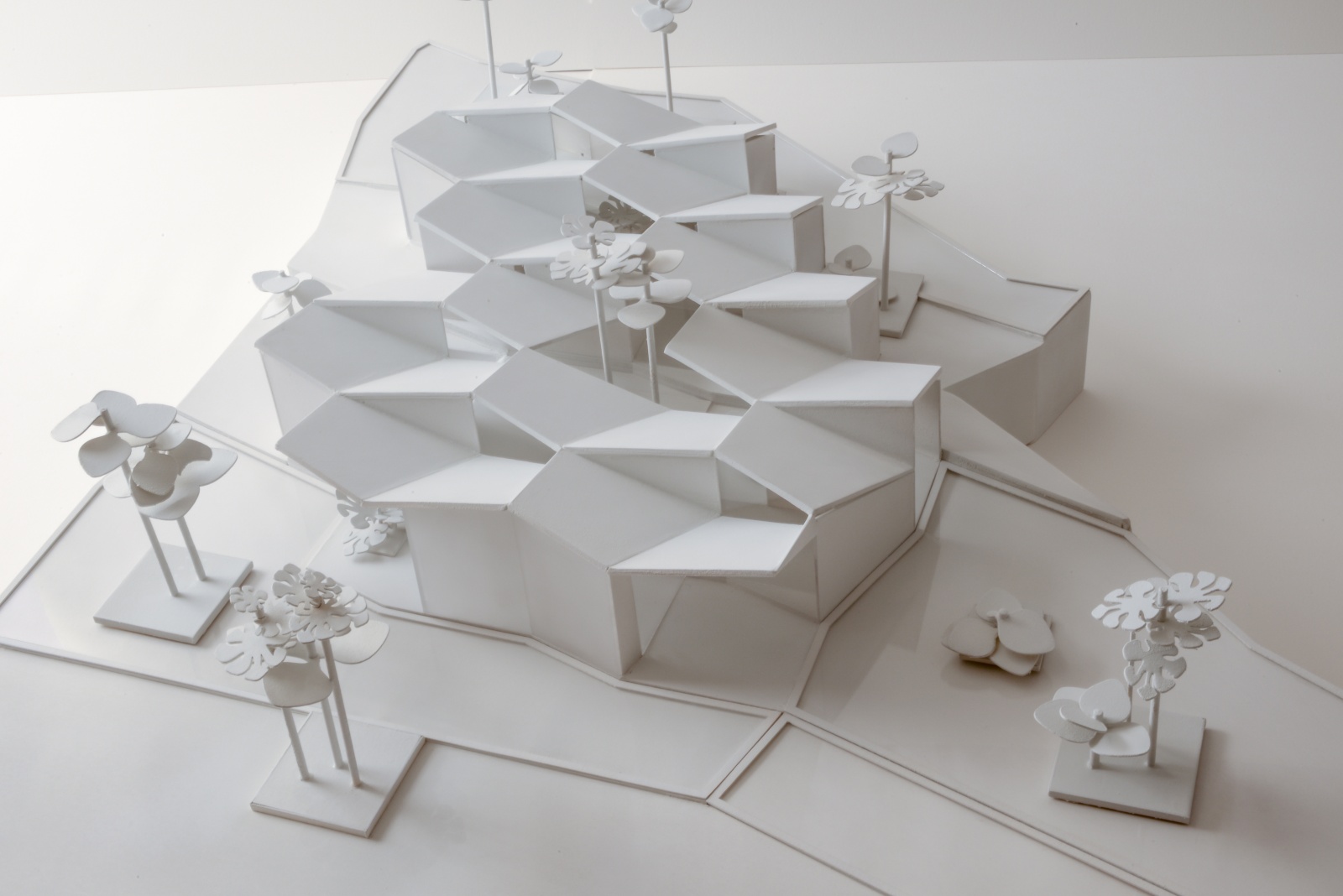
1. Conceptual (sketch) models
©Model Residence
During early design, quick models help test form and massing. They are made fast from cheap materials such as card, foam, clay or balsa, and many are built and discarded in a single afternoon.
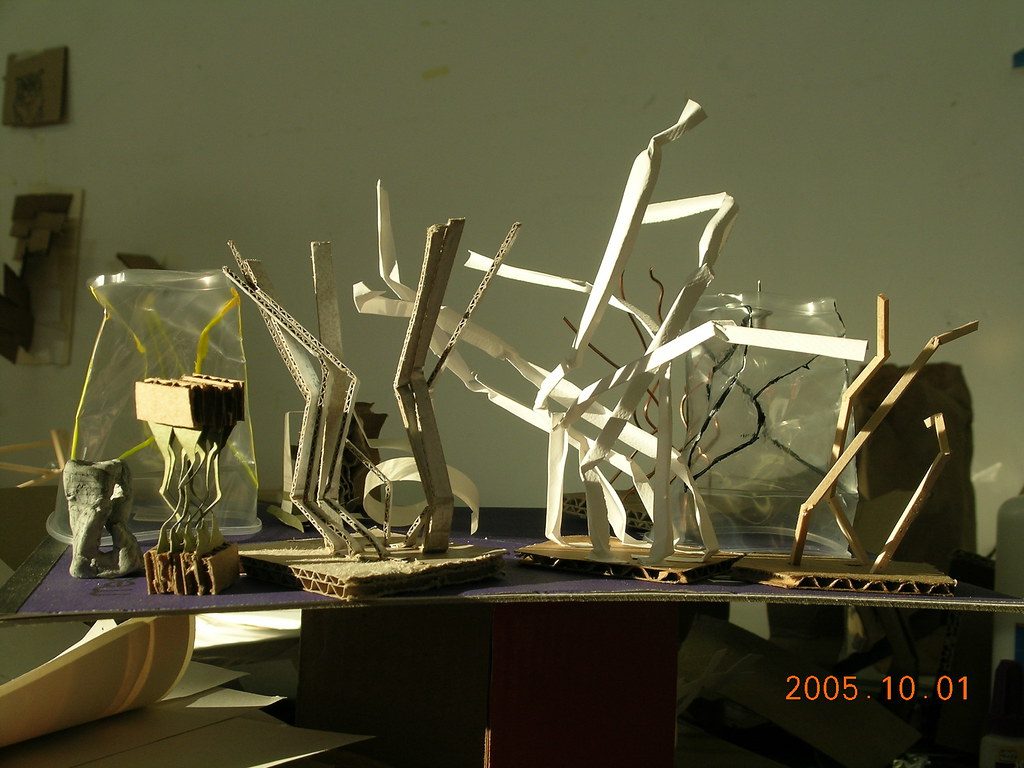
Quick sketch models in card, paper strips and wood: fast, cheap studies of form at the conceptual stage. Photo: jeferonix, CC BY-SA 2.0 (camera date stamp in the corner; crop at upload). jeferonix, source, CC BY-SA 2.0
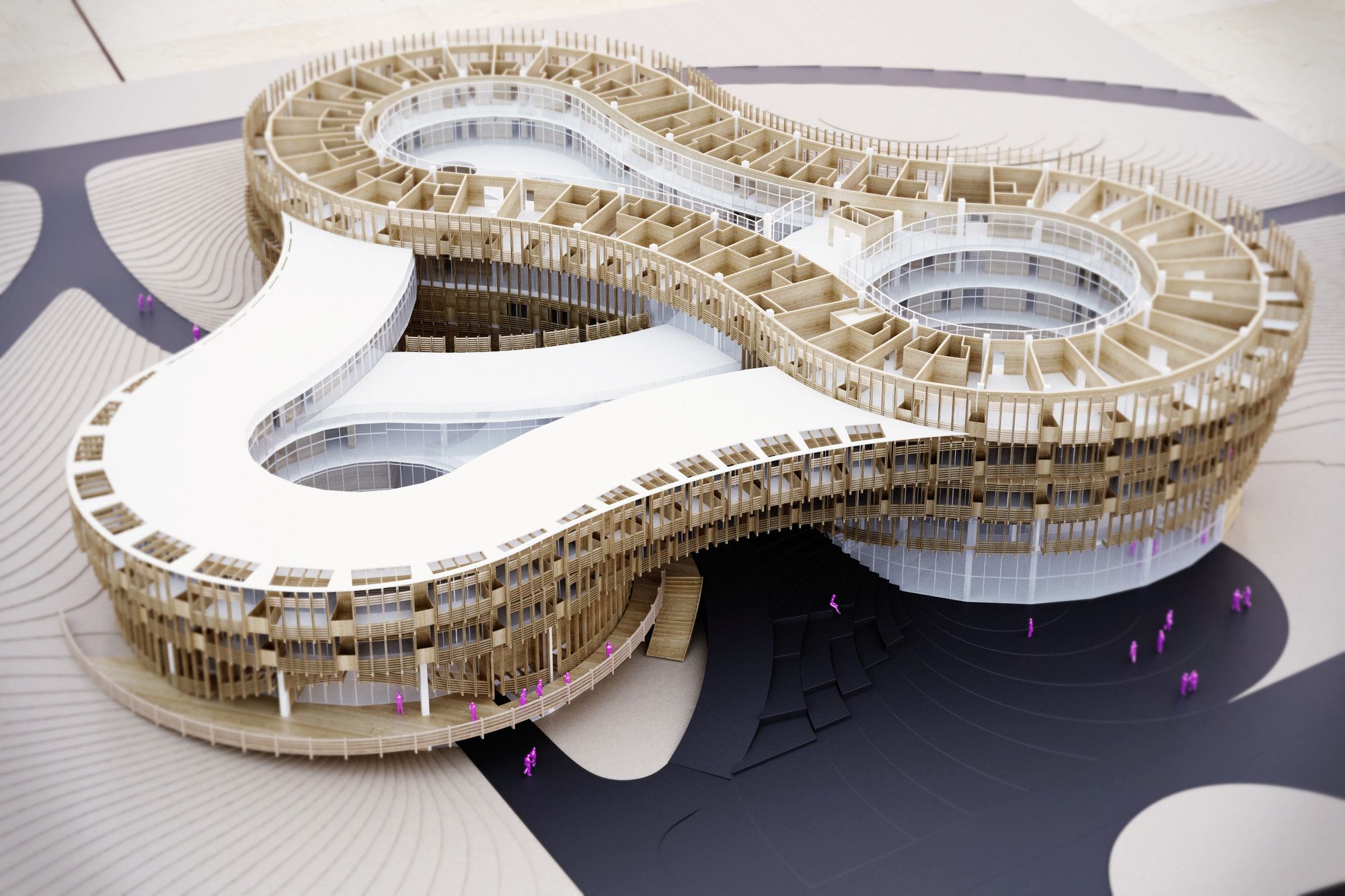
2. Working models
©GRAFT + penda
As the design develops, working models test specific questions such as daylight, structure, circulation or how parts fit together. They can be taken apart, altered and rebuilt, and are usually made from firmer materials such as card, basswood or plywood.
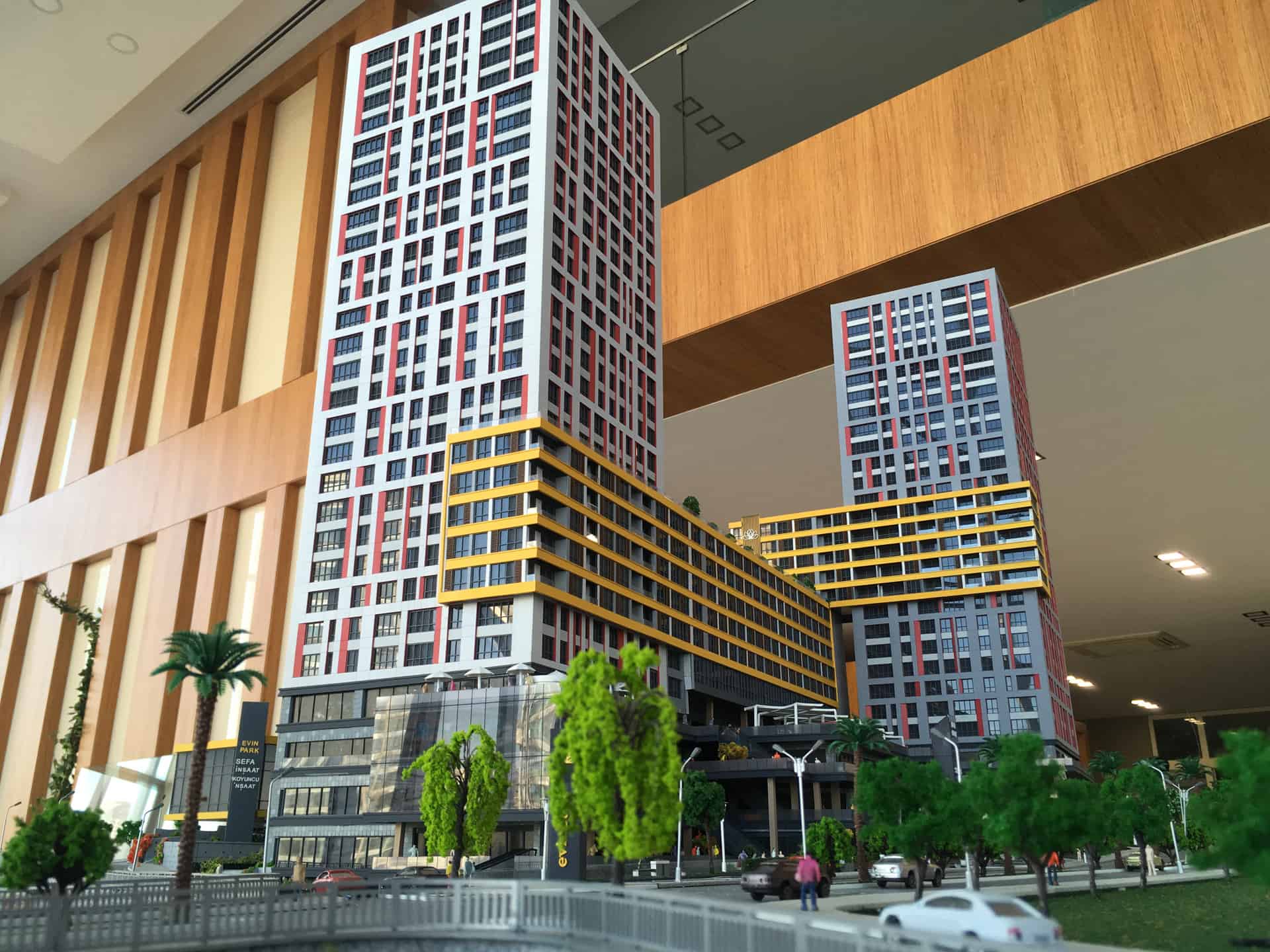
3. Presentation models
Presentation models show the final design to clients, juries or the public. They are built carefully from high-quality materials, often combining hand-built parts with laser-cut and 3D-printed components, and sometimes produced by professional model makers.
General tips
- Wash your hands often so you do not mark the model.
- Work in a large, well-lit space.
- Print your plans and build on them.
- Invest in good tools: they last longer and give better results.
- Plan your time: models always take longer than expected, especially drying and finishing.
Before you start, see these free SketchUp plug-ins for preparing drawings and templates.
Sources and further reading
- Farrelly, L. Basics Architecture 01: Representational Techniques. AVA Publishing; scale guide at architectural-models.info.
- Yale School of Architecture: laser cutter guidance
- Southern Illinois University School of Architecture and Design: laser cutter materials list
Next step: choose one project, set the scale and material using the two tables, and build a quick sketch model before committing to the final one. That is the most reliable way to learn how to make architectural models well.

Yosra is an architect, writer, and teacher. She is always into learning something new. Her life motto is: "A jack of all trades is a master of none, but oftentimes better than a master of one.” One day she will travel the world and visit its architectural wonders. In the meanwhile, she contends herself with reading and writing about them.