

Budgeting for AI Tools: What Small Architecture Firms Should Prioritize First
Before buying a single AI license, small firms must build an accurate time-tracking and utilization baseline. Without it, there is no way to prove a tool saved billable hours rather than just added a recurring cost.
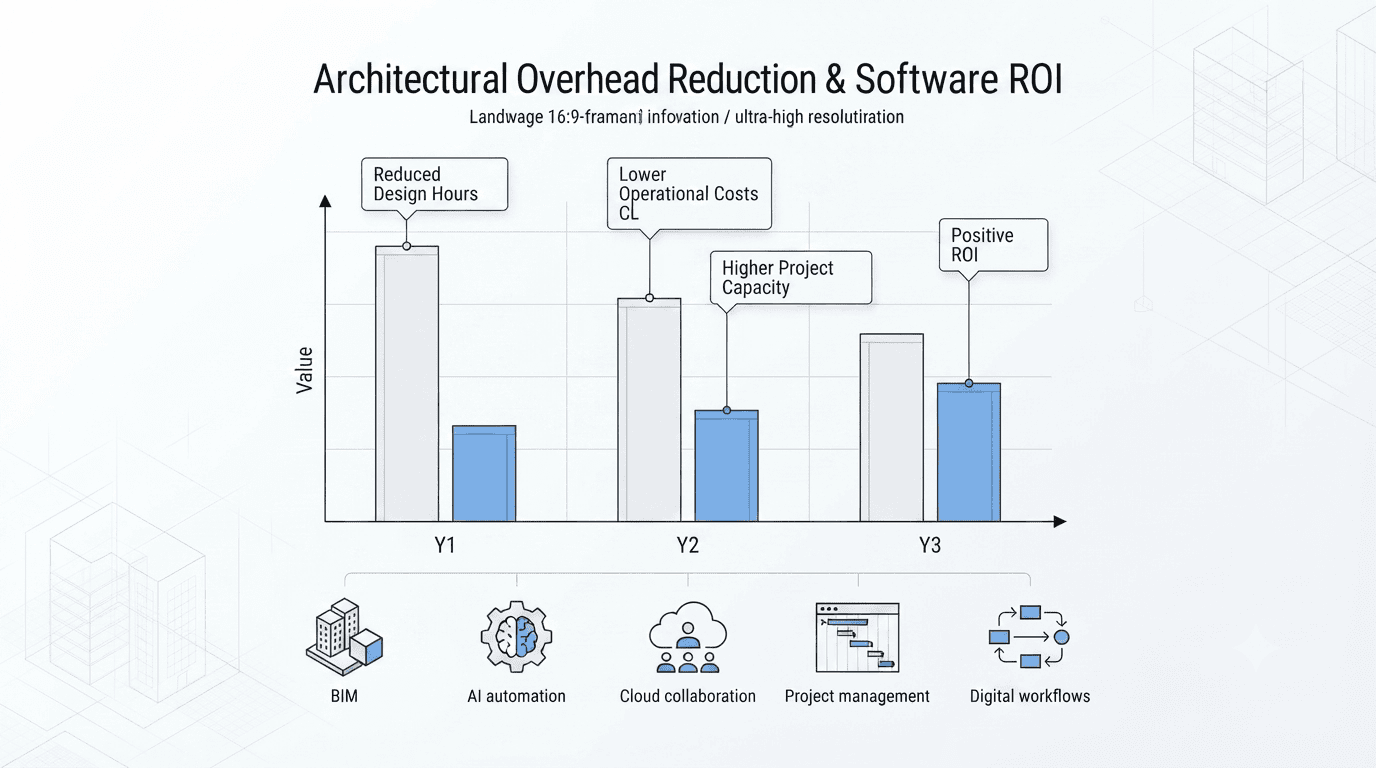
A chart illustrating a projected three-year timeline for reducing architectural overhead and achieving software ROI by implementing BIM, AI automation, and cloud collaboration.
Most principals treat AI adoption like a shopping trip. A rendering plugin here, a parametric feasibility tool there, a subscription to whichever LLM is trending on Instagram that month. Six months later the firm has a stack of charges on the corporate card and no evidence that any of it moved the needle on profitability. That approach is backwards, and it is expensive in an industry that already operates on thin margins.
Small architecture firms run on net margins of roughly 10–12%, which leaves almost no room for software spend that doesn’t pay for itself within a single fiscal quarter. Compounding the problem, industry benchmarking consistently shows that close to 39% of total team hours are non-billable — spent on proposals, coordination, administrative overhead, and internal meetings rather than design work clients actually pay for. Add to that the fact that 20–40% of projects overrun their original fee estimate, usually because scope creep and documentation drag go untracked until it’s too late to renegotiate, and you have a financial environment where AI spending has to be treated as triage, not indulgence.
This piece lays out the order of operations: what to fix first, what it should cost at each stage of firm growth, and which purchases to delay until the fundamentals — and the data to justify them — are in place.
What AI Tool Should a Small Architecture Firm Invest in First?
Not a design tool, but an AI-assisted practice management or proposal generation system. Proposals routinely consume 4–12 hours of non-billable leadership time at a standard 20–30% win rate, making bid automation the single fastest source of measurable financial return.
Think about what that math actually means in practice. A principal or senior associate spends the better part of a working day assembling a proposal — pulling boilerplate, adjusting scope language, formatting a fee schedule, writing a project narrative — and roughly seven out of ten of those proposals go nowhere. That’s not a design problem, it’s an operational leak, and it sits at the very top of the funnel where every other inefficiency in the firm compounds.
AI-assisted proposal and practice management tools attack this directly. A well-configured LLM workflow, fed with the firm’s past proposals, fee structures, and boilerplate language, can produce a strong first draft of a new proposal in under 30 minutes instead of half a day. That doesn’t just save hours — it changes who can do the work. Instead of a principal billing $150–250/hour spending a full day on a document with a 25% success rate, a project architect can assemble the first draft in an hour, and the principal spends 20 minutes refining tone and scope before it goes out.
This is why proposal and administrative automation should be the first line item in any AI budget, ahead of rendering, ahead of parametric design tools, ahead of anything with a marketing demo reel attached to it. It’s the tool category with the shortest, most measurable path from spend to return.
How Much Should a Small Firm Budget for AI Tools?
A focused, high-leverage 2026 stack containing one generative rendering license, one advanced LLM tier, and a cloud-based project tracking platform runs roughly $50–$300 per month combined — avoiding expensive enterprise layout frameworks until volume scales.
That range is intentionally wide because it should scale with headcount and workload, not with what’s trending in industry forums. A solo practitioner has no business paying enterprise licensing rates designed for a team of forty; a six-person office, on the other hand, will start feeling real friction if it tries to stay on the $50/month end of that range once project volume climbs.
The core stack that justifies itself at nearly every firm size includes three categories: a general-purpose advanced LLM subscription for drafting, research, code review, and proposal work; a single generative visualization or rendering add-on tied directly to active project load rather than a permanent seat; and a lightweight cloud project-tracking platform that captures time and task data automatically, which becomes the baseline dataset every future AI purchase gets measured against.
Everything beyond that — feasibility software, generative massing platforms, specialized code-compliance AI, BIM-integrated automation — should be evaluated only after the firm has at least one full quarter of utilization data showing where the next real leak is.
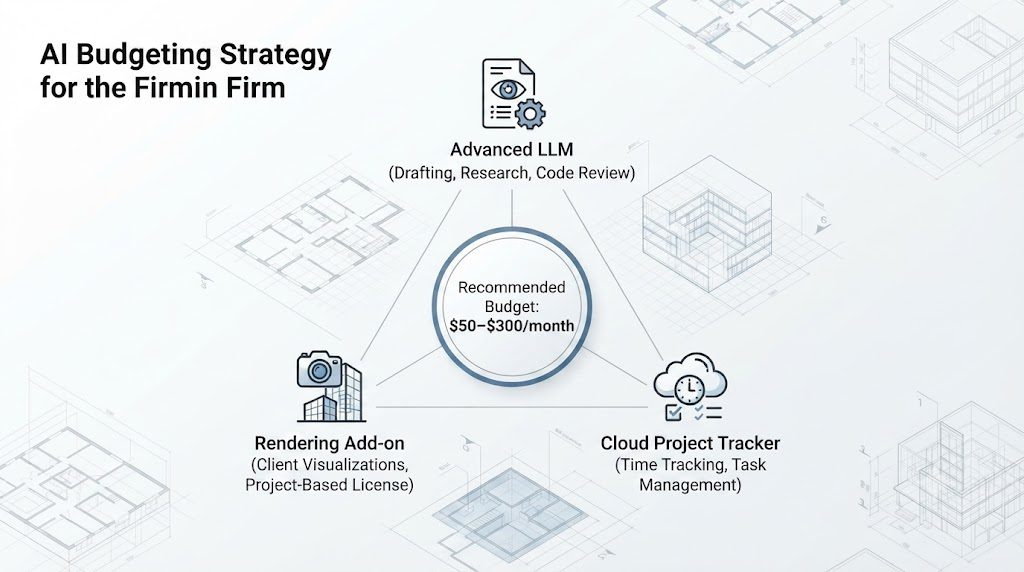
Budgeting strategy for a small architecture firm, prioritizing AI software spend by measurable return before adding rendering or feasibility software licenses.
Is Autodesk Forma Worth It for a Small Firm?
Frequently no as an isolated transaction, as standalone corporate rates are excessive for small setups. Operators must first verify if it is already included within their existing Autodesk AEC Collection subscription.
Forma’s early-stage feasibility and analysis capabilities are genuinely strong, but many small firms already pay for AEC Collection access through their Revit or AutoCAD licensing and simply never activate the entitlement. Before signing up for a standalone Forma contract, check the current Autodesk account portal for included subscriptions — it’s a common source of accidental duplicate spend that firms discover only when they audit their software stack line by line.
What Is the Biggest AI Adoption Mistake Small Firms Make?
Adding new monthly software subscriptions without establishing internal time-tracking baselines, meaning the firm cannot confirm if a tool saved billable hours or simply increased overhead costs.
This is the single most common and most expensive mistake in the small-firm AI adoption cycle. A principal reads a case study, signs up for a tool, and six months later has no idea whether it’s working — because there was no “before” number to compare against. Utilization rate, average proposal turnaround time, and hours spent per project phase all need to be measured for at least four to six weeks before a new tool is introduced. Otherwise every renewal decision becomes a guess dressed up as a business decision.
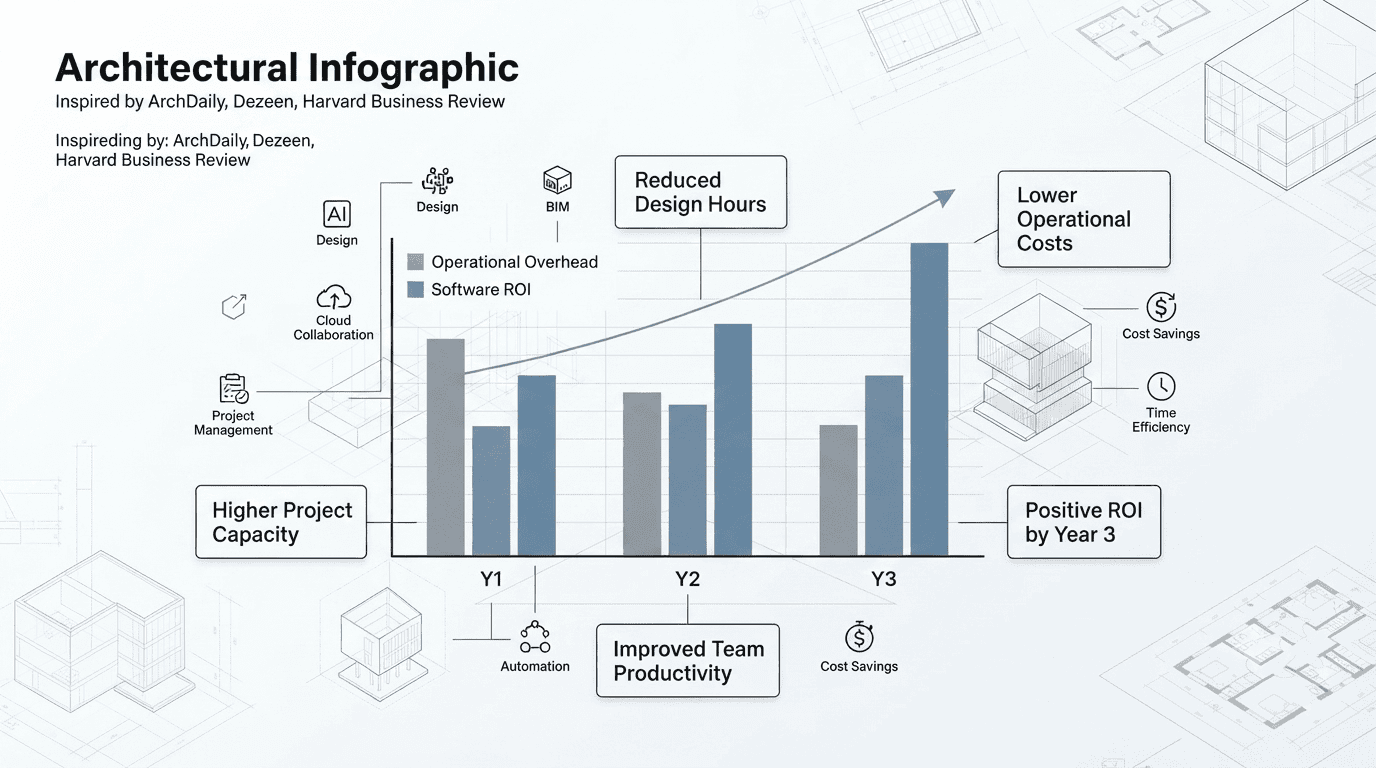
AI-generated illustration of the biggest AI adoption mistake small firms make — adding software subscriptions without first establishing a time-tracking baseline to prove billable hours saved.
The Phased AI Adoption Roadmap
Sequencing matters as much as the tools themselves. Firms that adopt in the wrong order end up paying for capability they can’t yet use productively, while the operational leaks that were bleeding margin in the first place stay open. The roadmap below reflects the order that produces measurable ROI fastest.
Phase 1 — Immediate: General LLMs for Administrative Work and Code Research
This is the zero-risk, high-return starting point. A general-purpose advanced LLM subscription handles proposal drafting, meeting summaries, email triage, contract language review, and preliminary building code research. There is no learning curve steep enough to delay this — most firms can be extracting measurable time savings within the first two weeks of adoption. This phase should run alongside the time-tracking baseline described above, since it produces the first hard data on hours saved.
Phase 2 — Quarterly: Dedicated Visualization Add-Ons Tied to Project Loads
Once baseline data confirms Phase 1 tools are producing real hour savings, firms can layer in generative rendering and visualization add-ons — but only as project-linked seats, not permanent line items. If a firm has two active projects requiring client-facing visuals in a given quarter, that’s when a rendering subscription earns its keep. Between projects, it should be paused or downgraded. This is where most firms overspend, treating a project-specific tool as a permanent fixed cost.
Phase 3 — Long-Term: High-Volume Feasibility Software
Feasibility and massing platforms, parametric zoning-compliance tools, and enterprise-tier BIM automation only make financial sense once a firm has enough concurrent project volume to keep them in continuous use. For most small studios that threshold arrives somewhere around the 6–15 person mark, or when annual project intake crosses roughly 15–20 active jobs. Purchasing this tier earlier almost always results in an underused, over-scoped license.
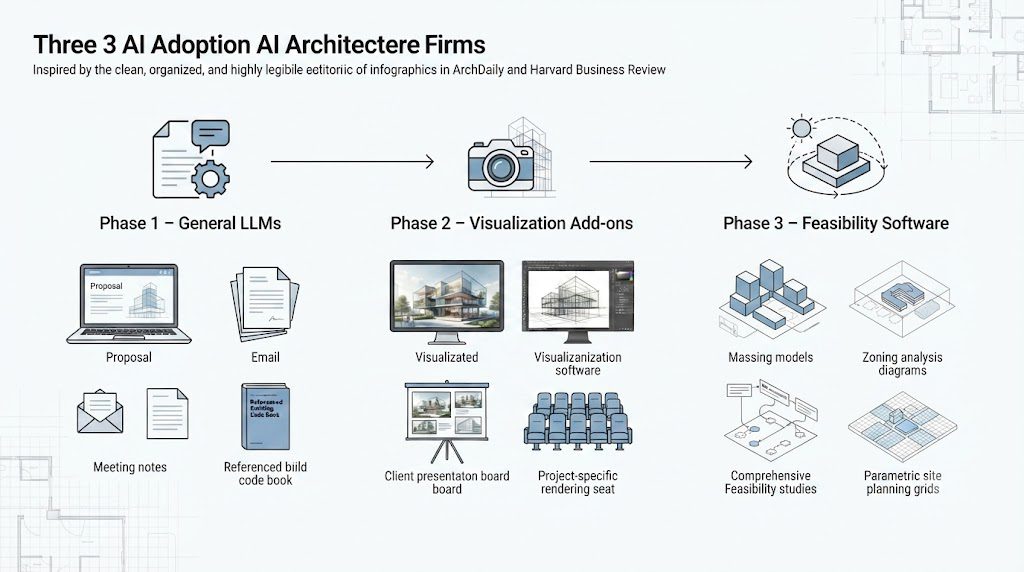
AI-generated illustration of the phased AI adoption roadmap, sequencing LLM administrative tools first, then project-linked visualization add-ons, then high-volume feasibility software.
The Capital Allocation Matrix by Firm Scale
The table below maps recommended monthly AI software spend against firm size, based on the phased roadmap above. These figures assume the firm has already established a time-tracking baseline and is measuring utilization against each new subscription.
| Firm Scale | Monthly AI Budget | Priority Stack | Avoid Until Scale |
|---|---|---|---|
| Solo Practitioner | $50–$90/mo | Advanced LLM tier + lightweight project tracker | Rendering add-ons, feasibility software |
| 2–5 Person Studio | $120–$220/mo | LLM tier + cloud tracker + one project-linked rendering seat | Enterprise BIM automation, permanent rendering licenses |
| 6–15 Person Office | $250–$300+/mo | LLM tier (team seats) + cloud tracker + 1–2 rendering seats + feasibility software | Custom-built internal AI infrastructure |
Note that the jump from a 2–5 person studio to a 6–15 person office is where feasibility software finally earns its place in the budget — not before. Firms that introduce it earlier than their project volume justifies are almost always paying for a license that sits idle three weeks out of every month.
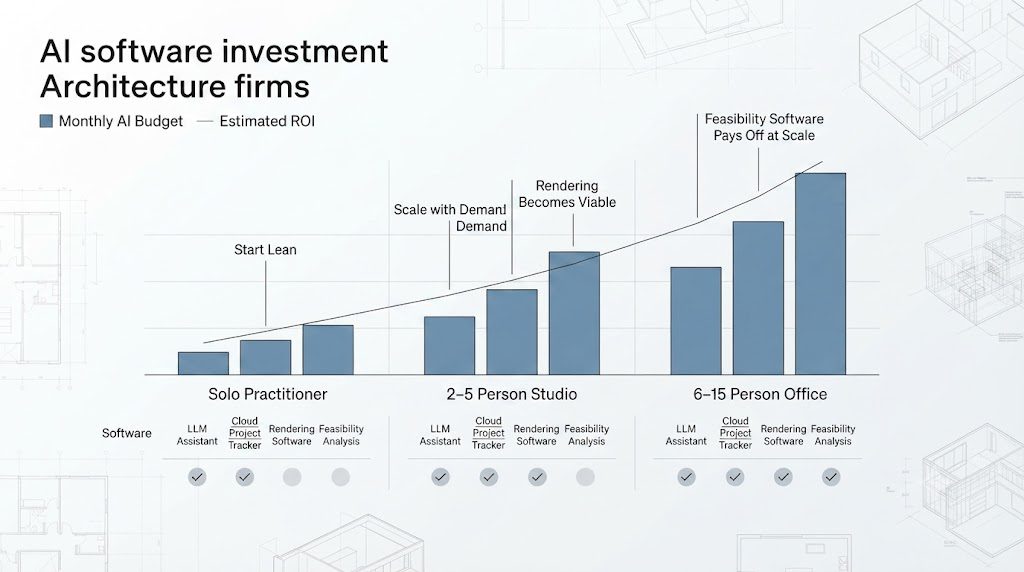
AI-generated illustration of AI software capital allocation scaled by firm size, from solo practitioner through 2–5 person studio to a 6–15 person office.
Related reading: See our Design Tools, Software & AI for Architecture Practices, and the master budgeting resource in The Complete Small Firm Software Budgeting Guide.

Luca Moretti is a content strategist with a foundation in urban design and architecture. Based in Milan, he focuses on writing that bridges aesthetics, material culture, and everyday spatial experiences.