

Architecture firms increasingly expect AI fluency, but the skills schools reward and the skills firms need have quietly diverged. Studio culture trains students to generate images; practice demands governance, liability awareness, and disciplined workflow integration — a gap that catches most graduates off guard.
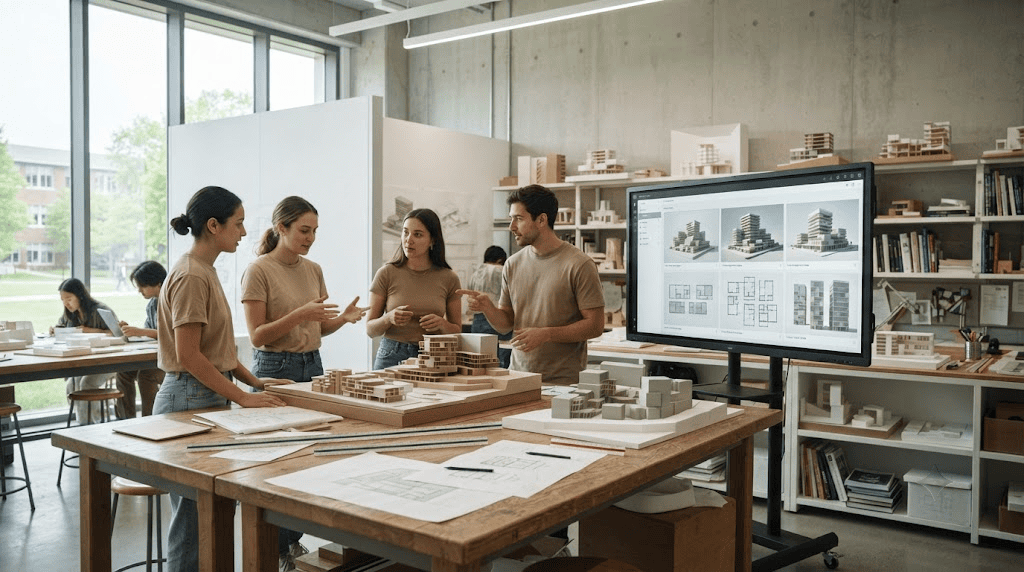
A modern architecture studio where students work with AI tools alongside traditional design methods, illustrating the growing role of machine intelligence in architectural education.
I have spent the better part of a decade watching architecture students interface with computation on a daily basis, first as generative form tools became studio fixtures, and more recently as large language models and diffusion-based renderers became as ordinary as a T-square once was. What I see in the studio and what I hear from firm principals during portfolio reviews are, increasingly, two different conversations. Students are being trained — implicitly, if not explicitly — to treat AI as an image-production accelerant. Firms need something else entirely: a designer who understands where machine output ends and professional judgment must begin.
This is not a complaint about technology. The tools themselves are intellectually neutral — a rendering engine has no opinion about structural feasibility, and a language model has no stake in your firm’s liability exposure. The value, and the risk, lives entirely in the surrounding critical intelligence: the designer who knows when to trust an output, when to interrogate it, and when to discard it outright.
Do architecture firms expect new graduates to know AI tools?
Increasingly yes, though the expectation varies sharply by firm scale. Recent 2026 industry data indicates that roughly 46% of practicing professionals are now actively using some form of machine intelligence pipeline in their daily workflow, but the character of that adoption differs enormously between practice types.
Smaller studios tend to run casual, individually-driven setups — a principal or project architect experimenting with a rendering plugin or a scheduling assistant, without a formal policy governing its use. Corporate and mid-size firms, by contrast, are constructing standardized internal networks: approved tool lists, internal data-handling protocols, and in some cases dedicated “AI champions” tasked with vetting new platforms before they touch client work. A graduate walking into a 200-person firm should expect onboarding material that reads more like an IT compliance briefing than a design tutorial.
What AI skills does architecture school not teach?
Academic programs concentrate heavily on generative form exploration, leaving graduates underprepared in professional data governance, client confidentiality, liability shifting, and code-compliance verification of machine output. These are not glamorous subjects, which is precisely why they are absent from studio culture, and precisely why their absence is so costly.
Consider the mechanics of a typical studio AI exercise: a student uploads a site photo or massing diagram, prompts a rendering tool for iterations, and presents the most compelling image at final review. No one asks where that image data is stored, whether the underlying model was trained on licensed material, or what happens if a client’s confidential floor plan was fed into a public-facing tool. In practice, these questions are not academic — they are the substance of actual NDAs, actual insurance policies, and actual malpractice exposure.

AI-generated illustration representing the professional data-governance, client-confidentiality, and code-verification skills that studio training often overlooks when students rely on AI rendering tools.
There is also the matter of verification. A language model asked to summarize an egress requirement or a structural load assumption will produce fluent, confident prose — regardless of whether that prose is correct. Firms that have adopted these tools seriously have learned, often the hard way, that every machine-generated technical claim needs a human check against the governing code. Schools rarely simulate this discipline because studio critique rewards conceptual ambition, not code compliance.
Which AI tools should architecture students learn before graduating?
A practical baseline stack includes one visualization tool such as Veras or Midjourney, one conceptual layout or space-planning tool such as Maket or TestFit, and general fluency with a large language model such as Claude or ChatGPT for contract drafting, scheduling, and correspondence. None of these require deep technical expertise to use responsibly — what matters is knowing their limits.
A visualization tool is best understood as a communication device, not a design-generation device. A layout tool like TestFit is valuable precisely because it can test dozens of massing configurations against a program brief faster than a human could sketch them, but the output still needs a trained eye to catch structural or circulation failures. And a large language model, used well, becomes a drafting assistant for the unglamorous paperwork of practice — meeting minutes, RFI language, consultant coordination emails — freeing up hours for the design judgment that actually differentiates an architect.
Is it a problem to rely on AI too much as a student?
Yes — when AI is used as a visual crutch to bypass spatial problem-solving, the resulting work tends to collapse at the technical development and documentation phase. This is the most consistent pattern I observe across studio reviews, and it splits students into two distinct behavioral tracks.
The first track — call it the visual crutch — involves students prompting a rendering generator for a striking facade image without ever working through the structural grid, programmatic stacking, or spatial logic that would make that facade buildable. The image looks arresting in a review pin-up. It falls apart the moment a critic asks how the cantilever is supported, or where the mechanical risers run. There is no underlying architectural reality to defend, because none was built.
The second track — the hypothesis engine — looks entirely different. These students use generative platforms to rapidly test dozens of spatial variations against a genuine design question: how does unit mix affect daylighting, how does a courtyard configuration change acoustic performance, how does massing respond to a zoning envelope. They catalog these options, evaluate them against real design intent, and only then develop the strongest candidates through traditional BIM workflows. The tool accelerated exploration; it did not replace judgment. That distinction is the entire difference between a portfolio piece that reads as decoration and one that reads as design thinking.

AI-generated image contrasting the two ways students use generative tools — as a visual crutch for striking imagery versus a hypothesis engine for testing real spatial design questions.
The Real-Firm Requirements Checklist
Beyond design competence, entry-level hires are increasingly evaluated on a set of practical concerns that never surface in a thesis review. These are the unvarnished realities of corporate practice:
Client confidentiality and NDAs: Any project file — a floor plan, a site survey, a client’s internal program brief — is often covered by a non-disclosure agreement before it ever reaches a designer’s desk. Uploading that material into a consumer-facing AI tool without firm approval can constitute a contractual breach, regardless of intent.
Data compliance obligations: Firms operating internationally, or serving healthcare, government, or financial clients, are often bound by data residency and privacy regulations that dictate exactly where project data can be processed and stored. A graduate who doesn’t know to ask “where does this tool’s data actually live” is a liability risk before they’ve drawn a single wall.
Liability and professional insurance: When a machine-generated structural suggestion or code interpretation makes it into a stamped drawing set, questions of professional liability shift in ways that firm insurance policies and state licensing boards are still actively working out. Graduates should understand, at a baseline level, that “the AI said so” is not a defensible position in a dispute.
These concerns connect directly to the broader legal landscape shaping AI adoption in the profession, a subject worth exploring in full through our companion piece on AI legal risk in architectural practice.
The Practice-Ready AI Stack Breakdown
Interviewers at firms actively integrating AI are less interested in a list of tool names and more interested in whether a candidate can articulate how they used a tool to solve a design or coordination problem. The table below maps the baseline stack to its professional utility and the kind of proof point that resonates in an interview setting.
| Tool Category | Example Platforms | Professional Utility | How to Demonstrate It in an Interview |
|---|---|---|---|
| Visualization / rendering | Veras, Midjourney | Rapid client-facing communication of design intent | Show a before/after of a hand sketch refined into a presentation-ready image, and explain what design decision each iteration tested |
| Conceptual layout / space planning | Maket, TestFit | Fast feasibility testing against zoning and program constraints | Bring a comparison board of massing options with the program metrics that eliminated each losing option |
| Large language models | Claude, ChatGPT | Contract drafting support, meeting documentation, scheduling logic | Describe a workflow where you used a model to draft a first-pass RFI or consultant email, then explain your review and edit process |
| BIM / technical development | Revit, ArchiCAD (with AI plugins) | Translating validated concepts into buildable documentation | Walk through how an AI-tested option was developed into a coordinated model, noting where you overrode machine suggestions |

AI-generated illustration of a practice-ready AI workflow, showing how validated design concepts move from generative exploration into coordinated BIM documentation with human oversight at each step.
For a broader view of how design tools and software fit into the larger technology landscape shaping practice today, see our Design Tools, Software & AI hub overview.

Luca Moretti is a content strategist with a foundation in urban design and architecture. Based in Milan, he focuses on writing that bridges aesthetics, material culture, and everyday spatial experiences.