

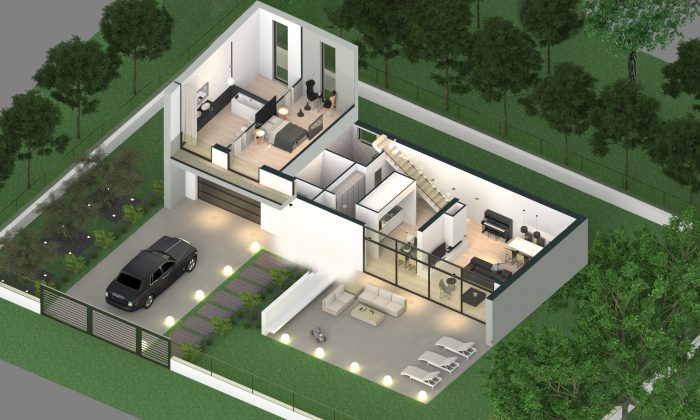
Axonometric cross-section view – Edificius ACCA software
What characteristics should a Professional Interior Design Software have?
- Reliability: The main feature that distinguishes professional interior design software from other types of software is its reliability; it is important to be able to make all the necessary changes without worrying about losing data.
- Ease of use: the software must be easy to use and intuitive so that you can concentrate all your time on creating the project, rather than understanding how the software works. This will help save time and money and increase productivity.
- Customizability: the software should provide a full range of parametric objects that allow the designer to express the creative concept with great freedom and flexibility.
- 3D Object Library: The software must have a library of objects, materials, textures, etc, to be used within the project to enrich it with details making it as realistic as possible.
5. High-quality images – Marketing images help sell products and services, so the program must be able to create eye-catching, high-quality images.
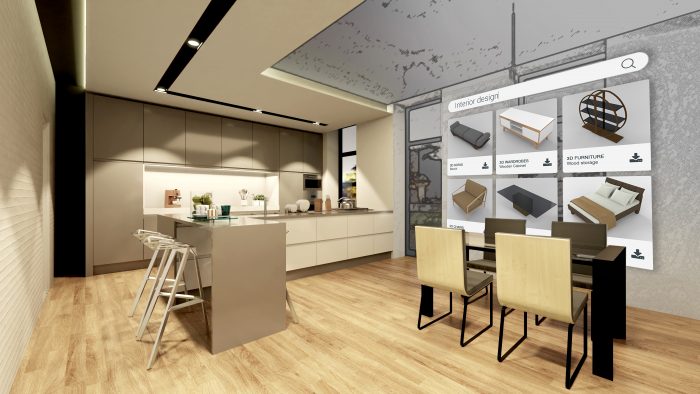
Indoor objects library – Edificius ACCA software
How to choose the best interior design software?
First, you need to consider your user level of experience. If you’re a beginner, you’ll need an easy-to-use program with tutorials or other training resources to help you learn the basics.
On the other hand, if you’re an expert, you might want a program that offers more advanced features.
Secondly, you need to consider the type of project you are working on. Make sure the software you choose has all the tools and features you need for your specific design needs.
To help you find the right software, you can consult the sections below to get a precise idea of the types of features and functionalities of some of the professional interior design
software available on the market today.
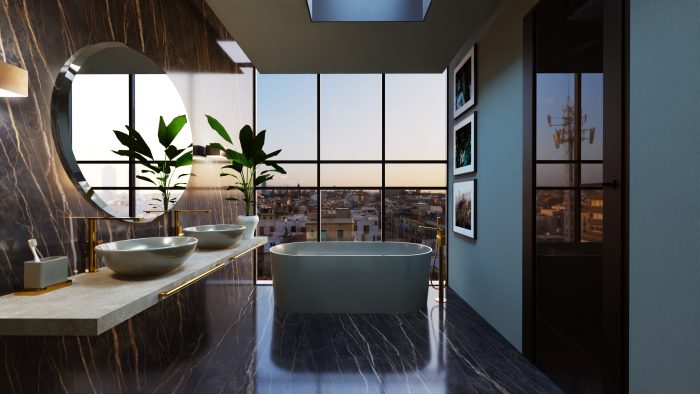
Interior rendering – Edificius ACCA software
1 – Autodesk 3ds Max
Autodesk 3ds Max is the professional 3D modeling, animation, and rendering software used in different environments (games, movies, TV, and design) to create highly realistic models.
The software offers several features and functionalities for creating high-quality models such as:
- Importing of 3D objects created in other programs such as Maya or SolidWorks to create scenes.
- Real-time rendering technology and lighting effects such as shadows and reflections to improve the realism of the model.
- Creating animations using keyframes or motion capture data.
Autodesk 3ds Max is a very complete solution but complex to learn and specially designed for professional designers and artists.
2 – SketchUp
- The possibility of creating custom furniture, floors, walls, and ceilings;
- The ability to create “scenes” that show different views of space;
- Add lighting, fixtures, and appliances;
- Create realistic renderings with third-party plugins.
- In addition, SketchUp offers a series of tutorials with clear and concise instructions that can
- Help designers learn how to use the software to its fullest potential.
3 – Edificius
- Work on any type of project, from small-scale residential interiors to large-scale commercial offices;
- Model the interiors in 3d or by drawing in 2D from a CAD drawing or a BIM model;
- Create detailed 2D plans and 3D views ready for the customer;
- Access a rich library of free online BIM objects to enrich and customize your project;
- Import and export 3D projects, objects, and models in multiple graphical formats (DWG, SKP, 3DS, OBJ, etc.)
![]() 4 – Floorplanner
4 – Floorplanner
- Experiment with different furniture arrangements.
- Choose from various color layouts and different lighting solutions.
- Add vegetation, such as trees and landscapes to the area plan.
- Take advantage of a library of furniture and other model assets.
![]() 5 – SmartDraw
5 – SmartDraw
- A library of furniture, cars, building materials, models, and examples of floor plans that facilitate design;
- A wide range of customization options that allow you to change the size, shape, and color of items to suit your design needs;
- Features that make it easy to create realistic 3D drawings and provide a clear idea of what the project will look like when completed.
![]() 6 – Roomstyler
6 – Roomstyler
- Create a plan from scratch or import an existing one;
- Choose furniture from the library or use your photos;
- Add items such as doors, windows, lights, and other furnishings;
- Use the 3D model to see how everything looks in 3D before the project is completed.
![]() 7 – Planner 5D
7 – Planner 5D
- Creating floor plans: you can create floor plans from scratch or import them from any CAD program;
- 3D visualization: you can create 3D models of the project and export them as PDF files or images for printing.
- Creating 2D drawings: you can draw in a 2D apartment, house, or building in a very detailed way;
- Selection of materials: you can choose in the library provided by the software between different materials such as wood, stone, and tiles.

Daniel Mercer is a Coffee Break section editor at Arch2O, currently based in Berlin, Germany. With a background in architectural history and design journalism, Daniel holds a Master’s degree from the University of Edinburgh, where he focused on modern architecture and urban theory. His editorial work blends academic depth with a strong grasp of contemporary design culture. Daniel has contributed to several respected architecture publications and is known for his sharp critique and narrative-driven features. At Arch2O, he highlights innovative architectural projects from Europe and around the world, with particular interest in adaptive reuse, public infrastructure, and the evolving role of technology in the built environment.